Administrative functions
Once you've established roles, administrators can define Facebook Apps and Pages. They can also manage the tokens that contain user credentials, so FastStats can log in to Facebook.
Administrative functions are available from File > Tools > Administrative Functions.
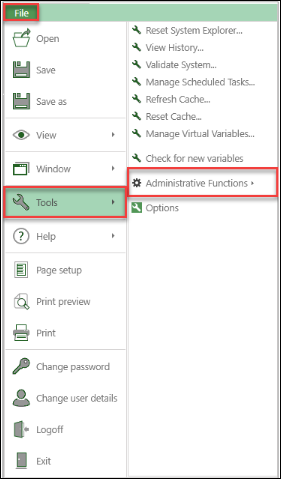
A user with the Facebook Administrator role can Modify Apps, Modify Pages, and Manage Tokens. A user with only the Facebook User role can only Manage Tokens.
Modify Apps
To use Facebook Apps in FastStats, add the App details in the administration suite. FastStats requires the Facebook App Id and App Secret so users can obtain the correct App Tokens and Page Tokens. This uses FastStats' built-in Facebook login mechanism.
Obtain your App Id and App Secret from your Facebook Developer Dashboard.
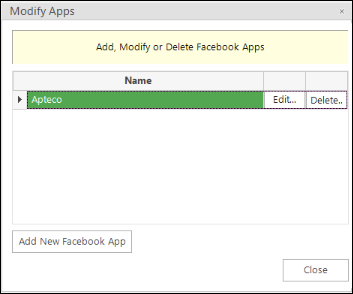
- To add a new App, select Add New Facebook App
-
To edit an existing App, select Edit next to the App Name
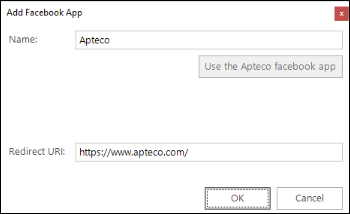
Apteco provides a shared Facebook App. To use it, select Use the Apteco Facebook app. FastStats automatically populates the name and hides the App Id, Consumer Key, and Consumer Secret fields, because they're not required.
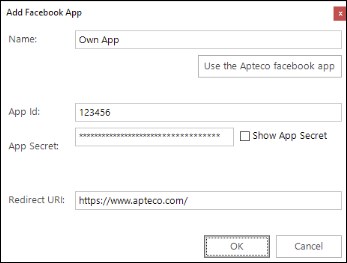
| Field | Description |
|---|---|
| Name | Used internally within FastStats; should match the app name in your Facebook Portal (or "Apteco" if using the Apteco App) |
| App Id | The Facebook App Id (only required if using your own app) |
| App Secret | The Facebook App Secret (only required if using your own app) |
| Redirect URI | Used for click-through actions from Facebook; typically your brand's home page |
Modify Pages
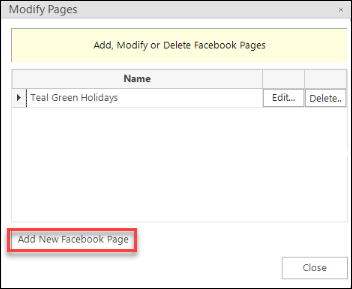
To find your organisation's Facebook Page ID, visit the Page and choose More > About. The Page ID appears near the bottom of the list.
- To add a new branded Page, select Add New Facebook Page
-
To edit an existing Page, select Edit
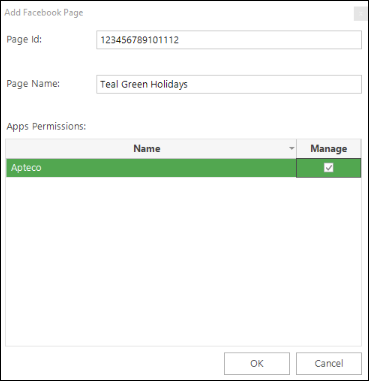
| Field | Description |
|---|---|
| Page Id | Your Facebook Page ID |
| Page Name | Your Facebook Page name |
| Manage check-box | Check to confirm which App manages this Page |
Facebook capabilities configuration
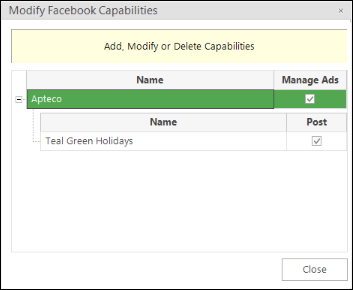
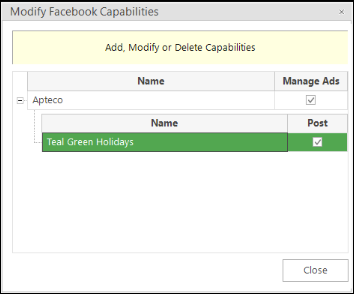
This configuration lets FastStats users log in to their Facebook profile and generate user access tokens for Apps and Pages. The App grants permission scopes to manage Ads or Page Posts.
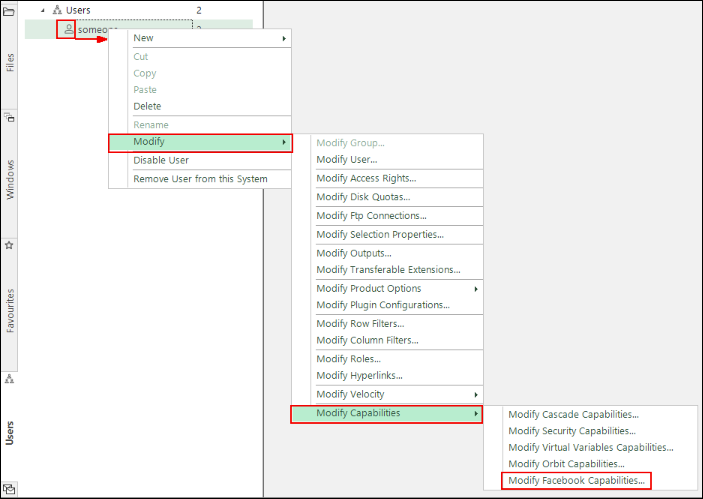
In Users Explorer, right-click on a user and select Modify > Modify Capabilities > Modify Facebook Capabilities.
Manage Ads
Select Manage Ads to let the user use the specific App to:
- Publish adverts
- Upload custom audiences
-
Gather adverts statistics
Posts
Select Post to let the user:
- Publish posts
-
Gather responses (page insights, post insights, comments, and likes)
Manage Tokens
A Facebook User role can see the Apps and Pages assigned by an administrator.
When you first access the Manage Tokens dialogue, select Generate.
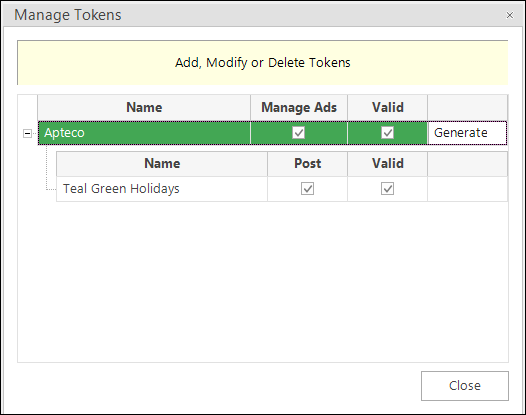
The Facebook login dialogue opens. Enter your Facebook credentials. FastStats stores these as a token.
After successfully logging in, close the dialogue. The Valid check-boxes for the App and branded Pages show as ticked once FastStats validates the tokens.
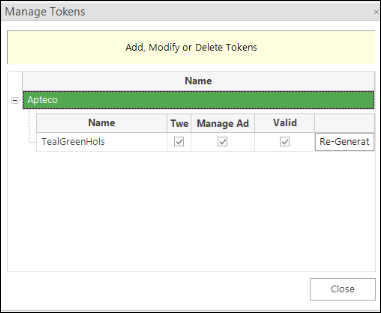
If tokens become invalid, select Re-Generate to request a new set of tokens.
Note
- Managing adverts activities requires an App access token with
ads_managementandads_readpermissions. - Managing Page activities requires a Page access token with
manage_pages,publish_actions,manage_notifications,read_insights, andread_streampermissions. - Once FastStats generates valid tokens, a tick appears in each Valid column. FastStats saves the tokens in the Social database but doesn't display them.