Orbit API Configurator
Use the Orbit API Configurator to configure the OrbitAPI. Browse to the OrbitAPI directory (typically C:\inetpub\wwwroot\OrbitAPI\), right-click OrbitAPIConfigurator.exe, and select Run as administrator.
FS Config database
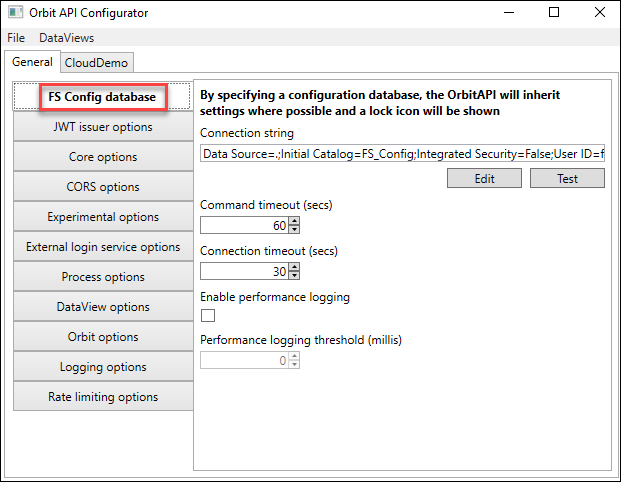
| Setting | Description |
|---|---|
| Connection string | Connection string to your configuration database, usually FS_Config |
| Edit | Opens the connection string editor |
| Test | Tests the entered connection string |
| Connection timeout (secs) | Timeout used when the OrbitAPI connects to the configuration database |
| Enable performance logging | Tick to enable performance logging to the OrbitAPI log |
| Command timeout (secs) | Timeout when running commands on the configuration database |
| Performance logging threshold | When performance logging is on, the threshold in milliseconds after which Orbit logs entries |
Audience service
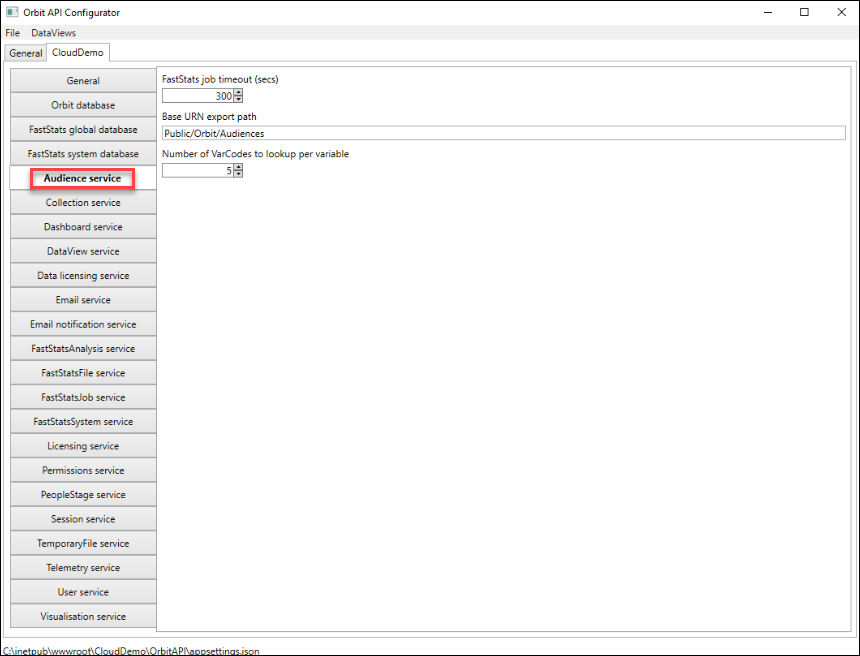
| Setting | Description |
|---|---|
| FastStats job timeout (secs) | Timeout for FastStats jobs running an audience request |
| Base URN export path | Default path where Orbit exports Unique Reference Number (URN) data |
| Number of VarCodes to lookup per variable | Number of variable codes to return per variable in the Orbit interface when creating an audience |
Chat API options
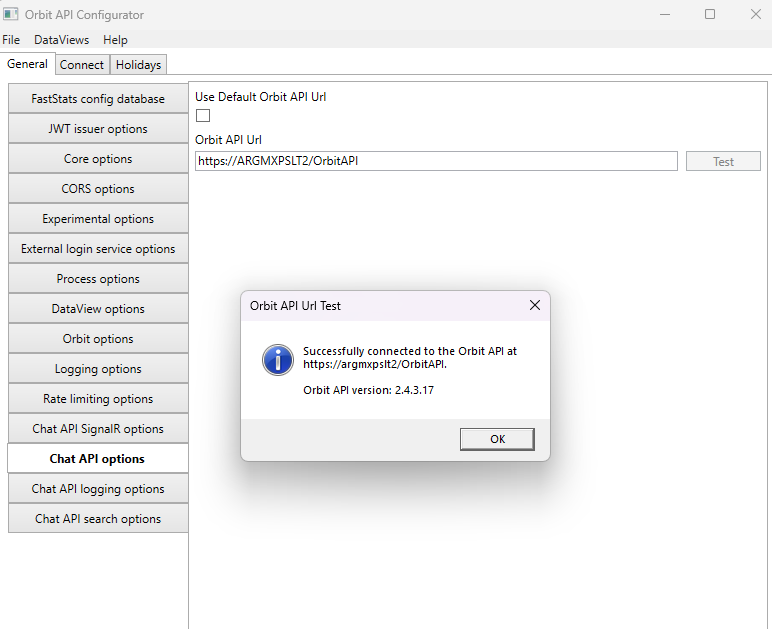
| Setting | Description |
|---|---|
| Orbit API Url | URL of the Orbit API for the Chat API to connect to |
| Test | Tests the specified URL and reports the connected Orbit API version. If the URL doesn't point at the Orbit API, the test reports the HTTP error it received instead. |
Collection service
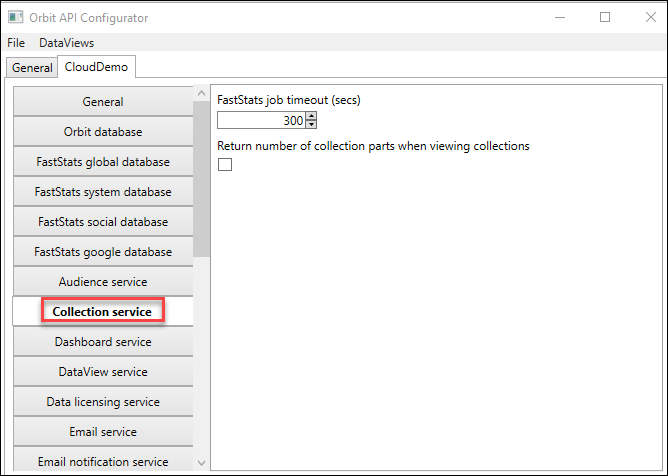
| Setting | Description |
|---|---|
| FastStats job timeout (secs) | Timeout for FastStats jobs running a collection service request |
| Return number of collection parts when viewing collections | Tick to enable retrieval of the number of collection parts |
CORS options
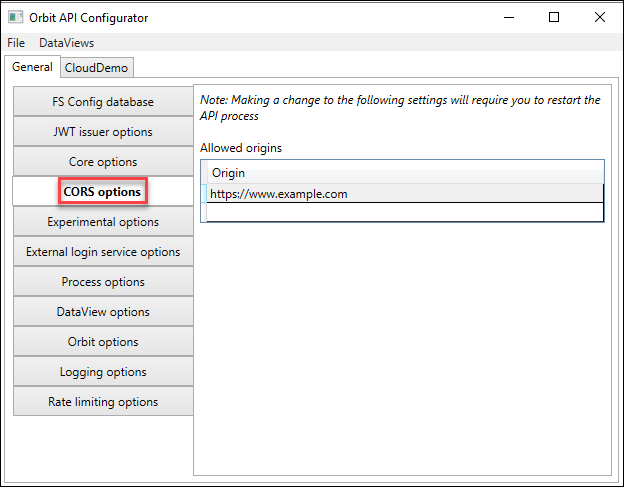
| Setting | Description |
|---|---|
| Origin | Add the URLs and port of the web server hosting the Orbit UI. Typically this is the same web server as the OrbitAPI. |
Core options
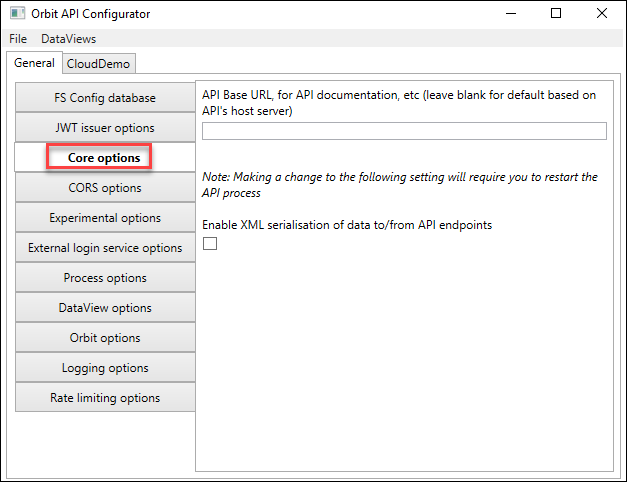
| Setting | Description |
|---|---|
| API Base URL, for API Documentation | Enter a different address for the OrbitAPI if required, for example if a local definition is HTTP but a proxy server forces HTTPS instead |
| Enable XML serialisation of data to/from API endpoints | Tick to enable XML serialisation to/from the API endpoints, affecting available response content types |
Dashboard service
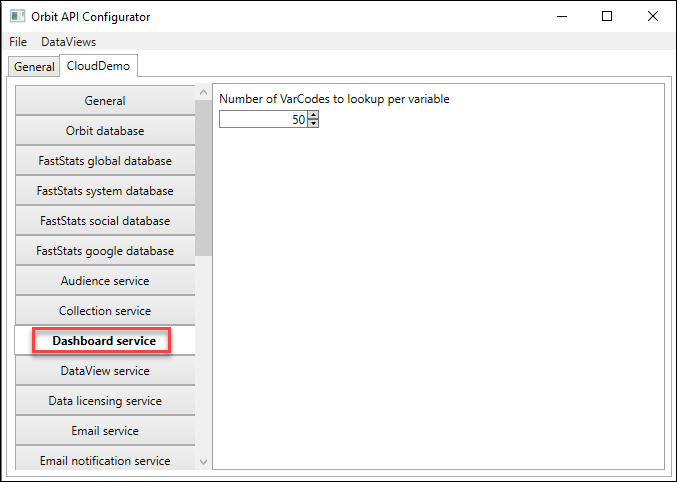
| Setting | Description |
|---|---|
| Number of VarCodes to lookup per variable | Number of variable codes to return when searching variables in a dashboard |
Data licensing service
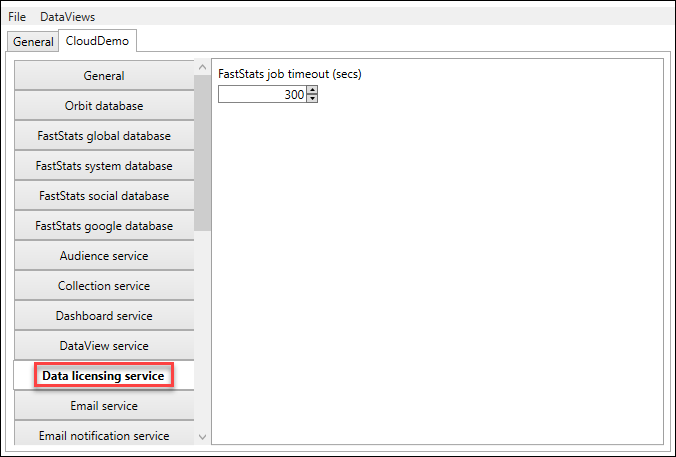
| Setting | Description |
|---|---|
| FastStats job timeout (secs) | Timeout for FastStats jobs using the data licensing service |
DataView options
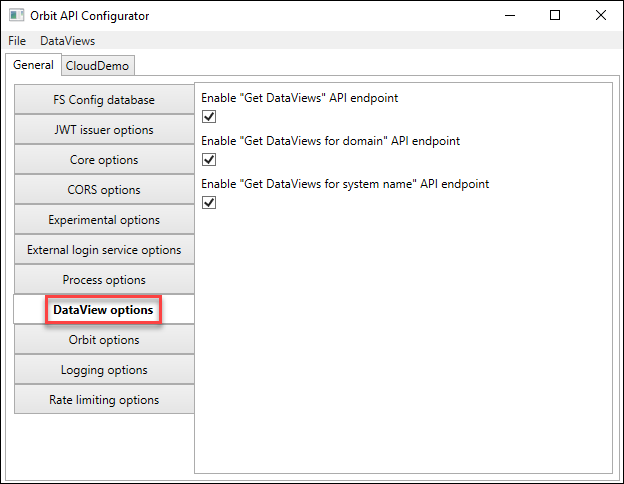
| Setting | Description |
|---|---|
| Enable "Get DataViews" API endpoint | Enables or disables the Get DataViews endpoint. Disabling this means users authenticating by username must also enter the name of the data view they wish to log into. |
| Enable "Get DataViews for domain" API endpoint | Enables or disables the Get DataViews for domain endpoint. Disabling this means users authenticating by email address must also enter the data view name. |
| Enable "Get DataViews for system name" API endpoint | Enables or disables the Get DataViews for system name endpoint. Disabling this means users must enter the data view name when sending a collection to Orbit from FastStats. |
DataView service
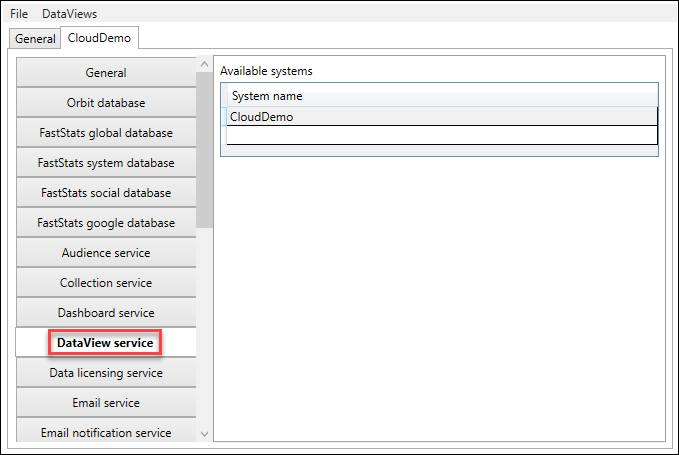
| Setting | Description |
|---|---|
| Available Systems | Names of the systems available within this DataView. Systems should use a shared global database. |
Email notification service
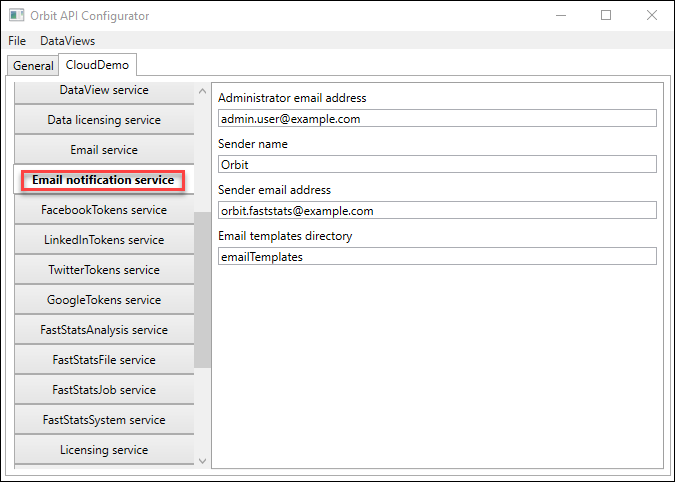
| Setting | Description |
|---|---|
| Administrator email address | Email address of the administrator of this system |
| Sender name | Name of the sender of emails from Orbit |
| Sender email address | Email address from which Orbit sends emails |
| Email templates directory | Name of the email templates directory (relative to the OrbitAPI directory) or the full path |
Email service
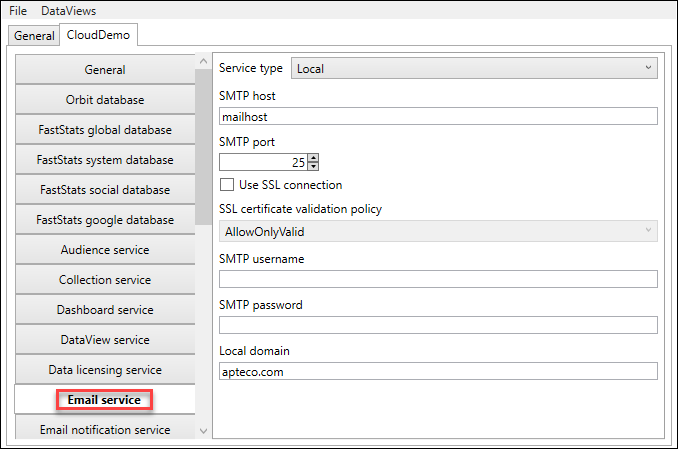
Configure the Simple Mail Transfer Protocol (SMTP) settings for emails sent from Orbit.
| Setting | Description |
|---|---|
| SMTP host | If service type is Local, the name of the SMTP host |
| SMTP port | If service type is Local, the SMTP port |
| Use SSL connection | If service type is Local, whether to use an SSL connection to the SMTP server |
| SSL certificate validation policy | If you select Use SSL connection, this sets the certificate validation policy |
| SMTP username | If service type is Local, the username to authenticate to the SMTP server |
| SMTP password | If service type is Local, the password for the given SMTP username |
| Local domain | If service type is Local, the local domain for the SMTP service |
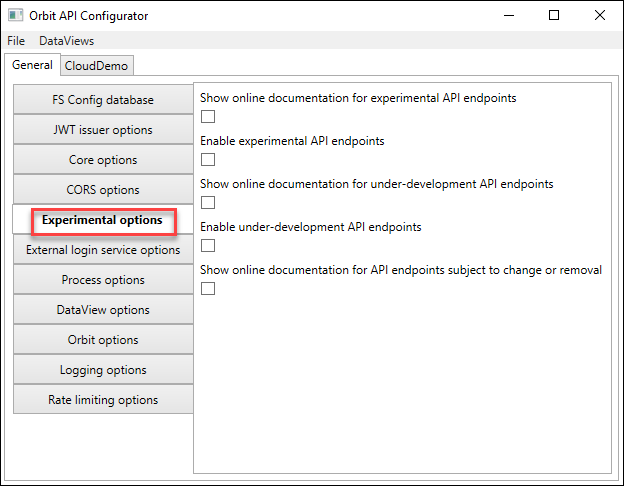
Experimental options
Note
These options are for internal use only. You don't need to change them.
| Setting | Description |
|---|---|
| Show online documentation for experimental API endpoints | Enables display of experimental API endpoints in documentation |
| Show online documentation for under-development API endpoints | Shows documentation for under-development endpoints |
| Enable experimental API endpoints | Enables experimental API endpoints |
| Show online documentation for API endpoints subject to change or removal | Shows documentation for endpoints subject to change |
External login service options
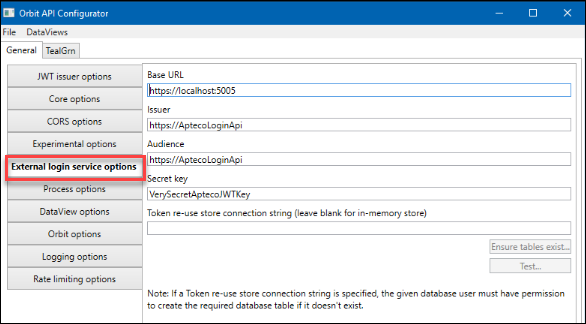
This section is only required if you wish to use a Single Sign-On (SSO) service for user authentication. Please contact Apteco for further information.
| Setting | Description |
|---|---|
| Audience | Should be set to the AptecoLoginAPI address (for example, https://AptecoLoginAPI/) |
| Token re-use store connection string | Optional. Enter a connection string to an Orbit database (e.g. OB_Global) for load-balanced or multi-web-server configurations where you need to track token re-use centrally |
| Ensure tables exist | When you enter a token re-use store connection string, use this to check that the required tables exist |
| Test | When you enter a token re-use store connection string, use this to test the connection string |
Note
The SSO provider issues tokens so Orbit can log users in. The Orbit API tracks these tokens in memory and only accepts each one once before it expires. This applies if you run multiple OrbitAPI instances (for example, load-balanced) or track token re-use across restarts. Enter a database to store these tokens centrally.
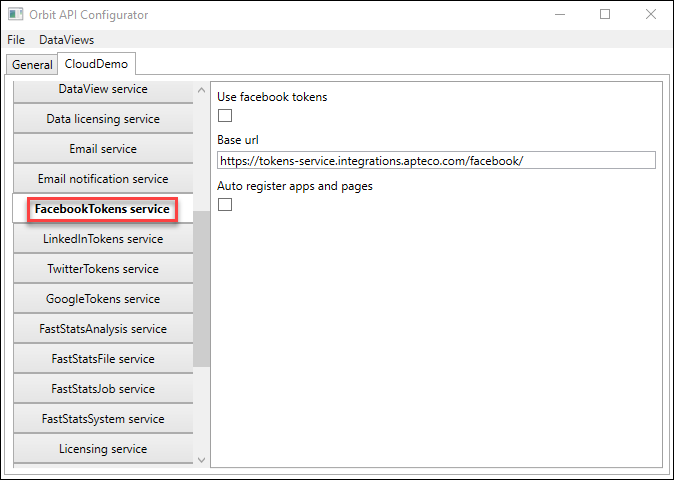
FacebookTokens service
| Setting | Description |
|---|---|
| Use Facebook tokens | Tick to enable Facebook tokens using the specified address |
| Base URL | Address used for generating Facebook tokens |
| Auto register apps and pages | Lets Orbit register Facebook apps and pages automatically, rather than performing manual registration through FastStats |
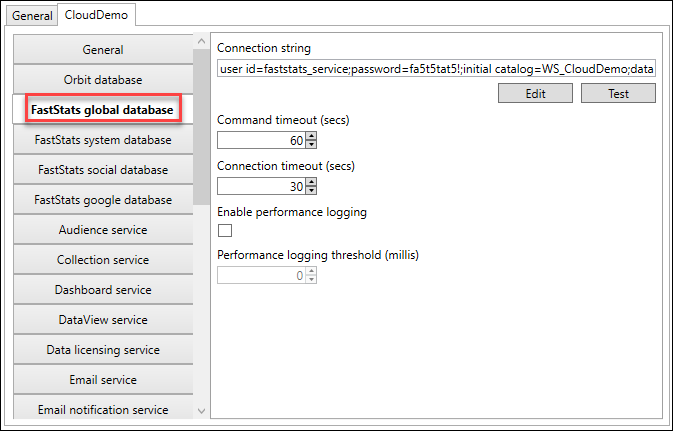
FastStats global database
| Setting | Description |
|---|---|
| Connection string | Connection string to the global database |
| Command timeout (secs) | Command timeout |
| Connection timeout (secs) | Connection timeout |
| Enable performance logging | Tick to log database queries exceeding the performance logging threshold |
| Performance logging threshold | Threshold in milliseconds after which Orbit logs queries |
FastStats Google database
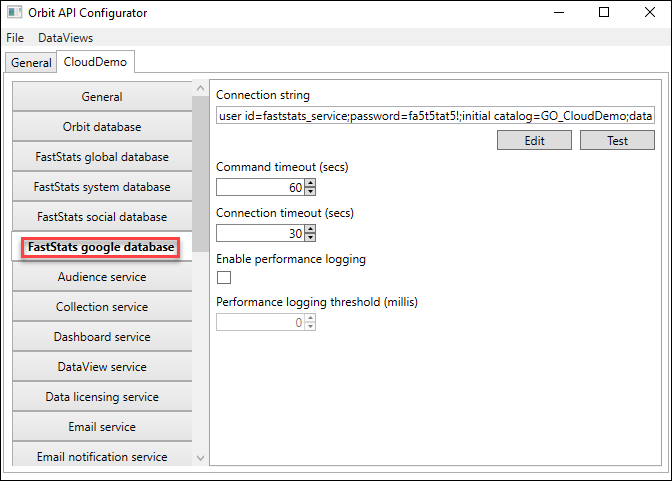
| Setting | Description |
|---|---|
| Connection string | Connection string to the Google database |
| Command timeout (secs) | Command timeout |
| Connection timeout (secs) | Connection timeout |
| Enable performance logging | Tick to log database queries exceeding the performance logging threshold |
| Performance logging threshold (millis) | Threshold in milliseconds after which Orbit logs queries |
FastStats social database
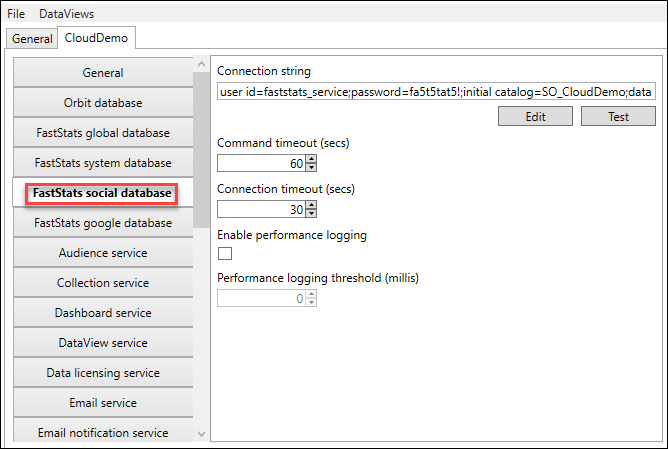
| Setting | Description |
|---|---|
| Connection string | Connection string to the social database |
| Command timeout (secs) | Command timeout |
| Connection timeout (secs) | Connection timeout |
| Enable performance logging | Tick to log database queries exceeding the performance logging threshold |
| Performance logging threshold (millis) | Threshold in milliseconds after which Orbit logs queries |
FastStats system database
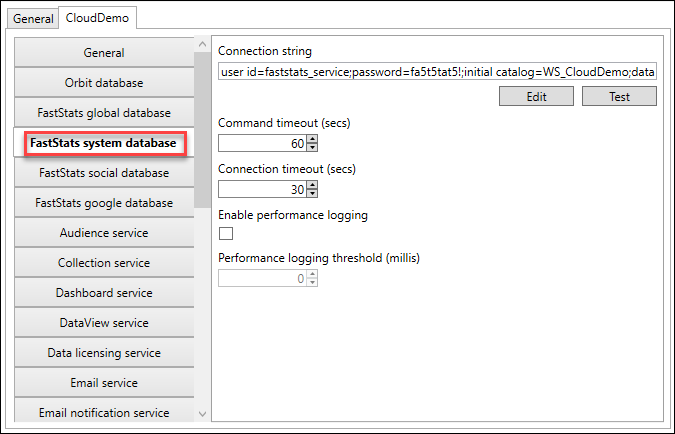
| Setting | Description |
|---|---|
| Connection string | Connection string to the system database |
| Command timeout (secs) | Command timeout |
| Connection timeout (secs) | Connection timeout |
| Enable performance logging | Tick to log database queries exceeding the performance logging threshold |
| Performance logging threshold | Threshold in milliseconds after which Orbit logs queries |
FastStatsAnalysis service
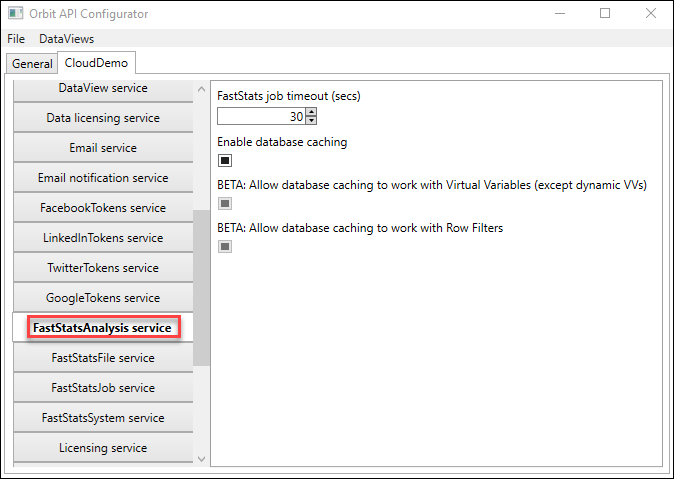
| Setting | Description |
|---|---|
| FastStats job timeout (secs) | Timeout for FastStats jobs using the analysis service |
| Enable database caching | Whether to cache analysis service job results for faster performance |
| BETA: allow database caching to work with Virtual Variables (except dynamic VVs) | Beta feature |
| BETA: Allow database caching to work with Row Filters | Beta feature |
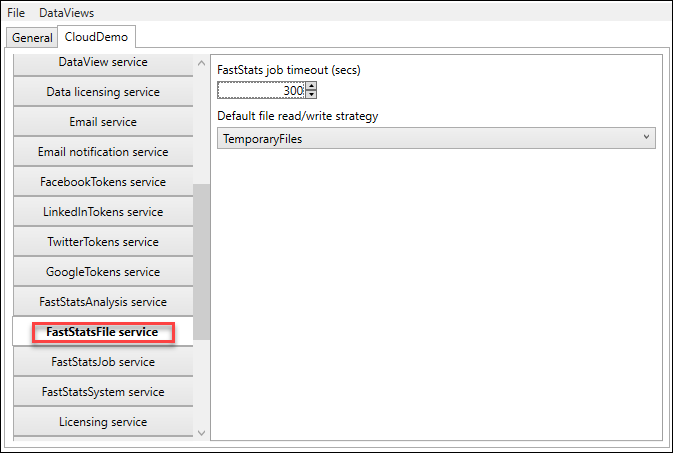
FastStatsFile service
| Setting | Description |
|---|---|
| FastStats job timeout (secs) | Timeout for FastStats jobs using the FastStats File service |
| Default file read/write strategy | Choose between local temporary files (faster, on the web server) or the FastStats JobQueue (slower, not on the web server) |
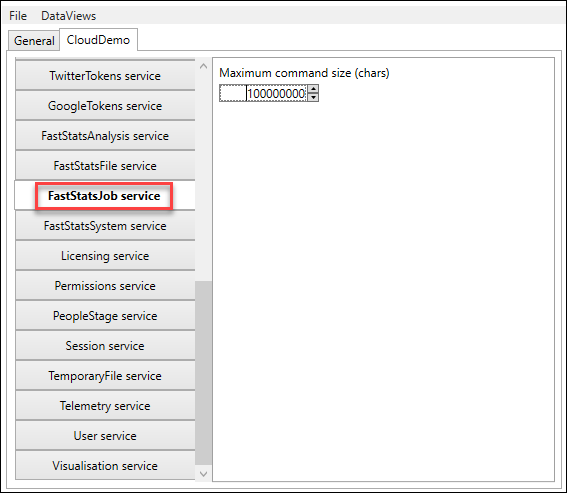
FastStatsJob service
| Setting | Description |
|---|---|
| Maximum command size (chars) | Maximum command size in characters |
FastStatsSystem service
| Setting | Description |
|---|---|
| FastStats job timeout (secs) | Timeout for FastStats jobs using the FastStats System service |
| All items cache base file path | Base directory where Orbit builds SQLite stores of system structure, variables, and their contents |
| Use in-memory varcodes (picklist) cache | Whether to store variable information in a file-based store (the directory specified) or in memory on the web server. In-memory is faster but places more load on the web server. |
| Enable Varcodes cache population batching | Whether the varcode cache populates all at once or in batches |
| Varcodes cache population batch size | When batching is on, the number of varcodes processed per batch |
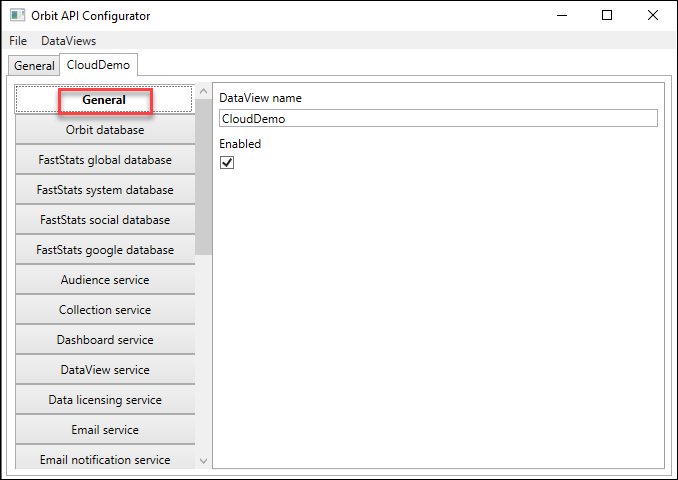
General settings
| Setting | Description |
|---|---|
| DataView Name | Name of the DataView you're configuring. Normally matches the FastStats system name. The active tab name refreshes when changed. |
| Enabled | Tick to enable this DataView within the OrbitAPI |
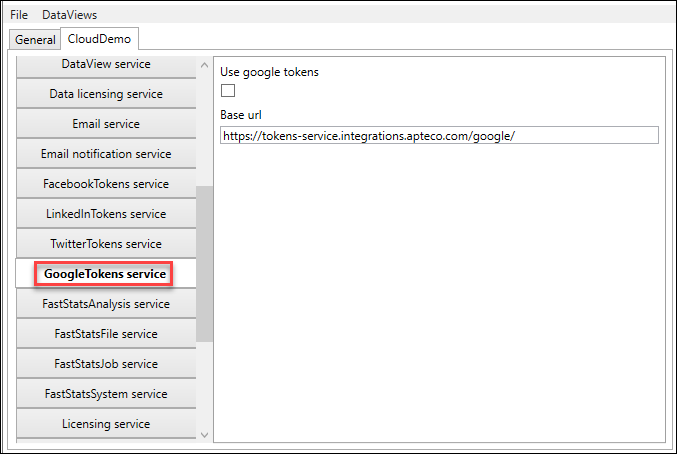
GoogleTokens service
| Setting | Description |
|---|---|
| Use Google tokens | Tick to enable Google tokens using the specified address |
| Base URL | Address used for generating Google tokens |
JWT issuer options
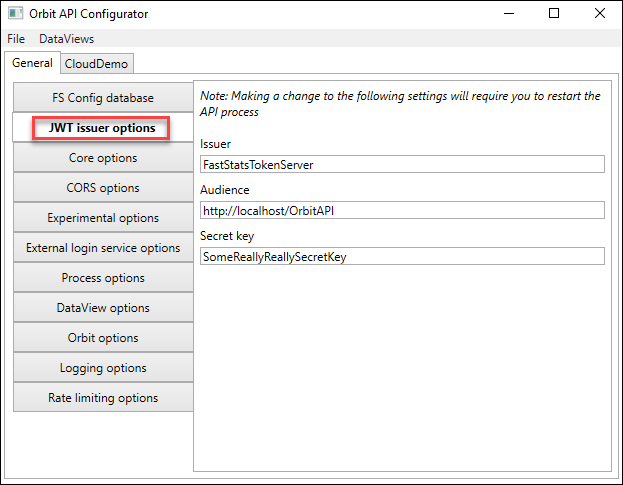
| Setting | Description |
|---|---|
| Issuer | Identifies the JSON Web Token issuer. Leave as FastStatsTokenServer. |
| Audience | The recipient address that the JWT is for. Change this to the fully qualified address of the OrbitAPI (for example, https://myserver.com/OrbitAPI) |
| Secret key | A secret key used in the generation of the JWT |
Licensing service
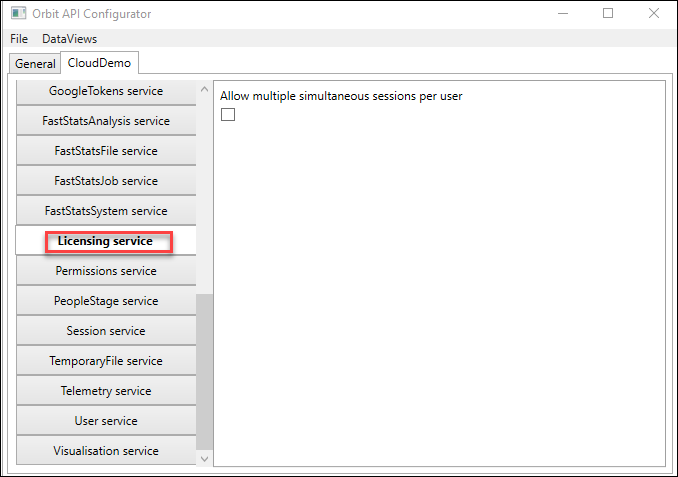
| Setting | Description |
|---|---|
| Allow multiple simultaneous sessions per user | Whether a user can have more than one session at a time |
LinkedInTokens service
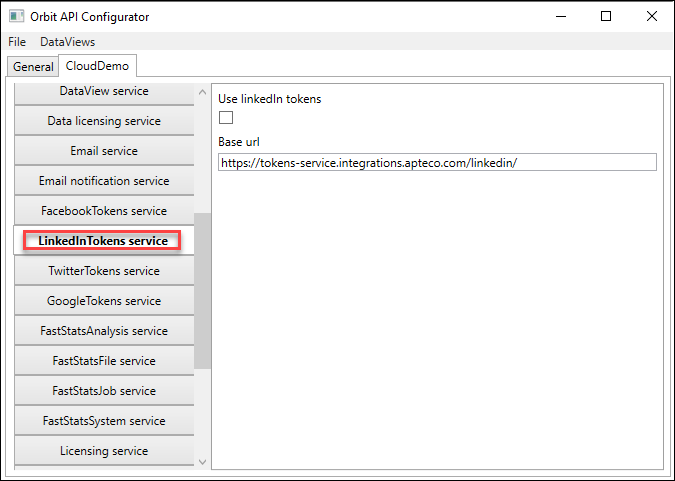
| Setting | Description |
|---|---|
| Use LinkedIn tokens | Tick to enable LinkedIn tokens using the specified address |
| Base URL | Address used for generating LinkedIn tokens |
Logging options
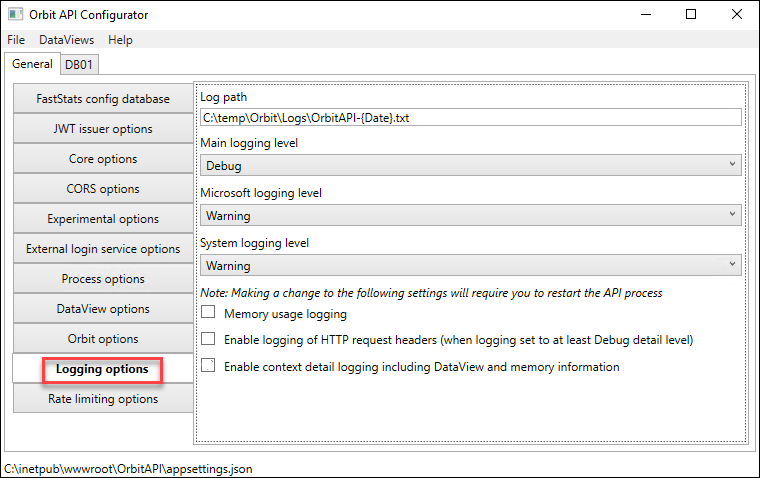
Using the log path setting, Orbit creates a new log file each day.
| Setting | Description |
|---|---|
| Log Path | Path for the OrbitAPI log file |
| Main logging level | Choose Verbose, Debug, Information, Warning, Error, or Fatal. Each lower level omits the more detailed levels listed before it. |
| Microsoft logging level | Same options as Main logging level, for Microsoft-level logging |
| System logging level | Same options as Main logging level, for system-level logging |
| Memory usage logging enabled | Whether Orbit writes the amount of memory in use to the Orbit API log |
| Enable logging of HTTP request headers | Tick to log HTTP headers to the OrbitAPI log files. Requires at least Debug logging level. |
| Enable context detail logging | Optionally log additional data within the OrbitAPI logs (such as the data view name and user ID) |
Orbit database
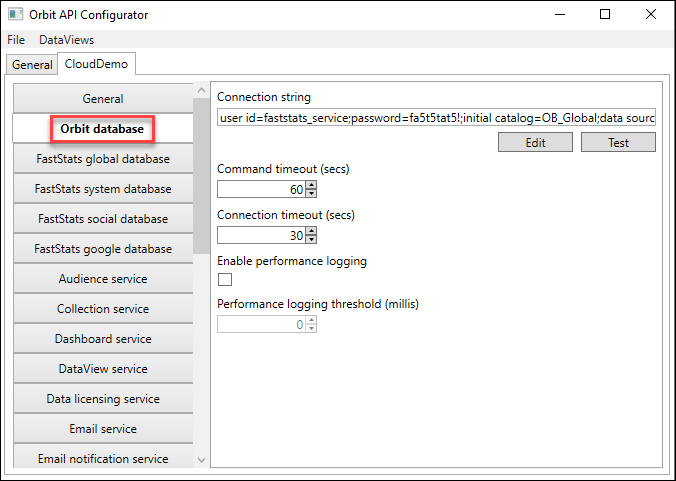
| Setting | Description |
|---|---|
| Connection string | Connection string to the Orbit database |
| Command timeout (secs) | Command timeout |
| Connection timeout (secs) | Connection timeout |
| Enable performance logging | Tick to log database queries exceeding the performance logging threshold |
| Performance logging threshold (millis) | Threshold in milliseconds after which Orbit logs queries |
| Test | Tests the specified connection string |
Orbit options
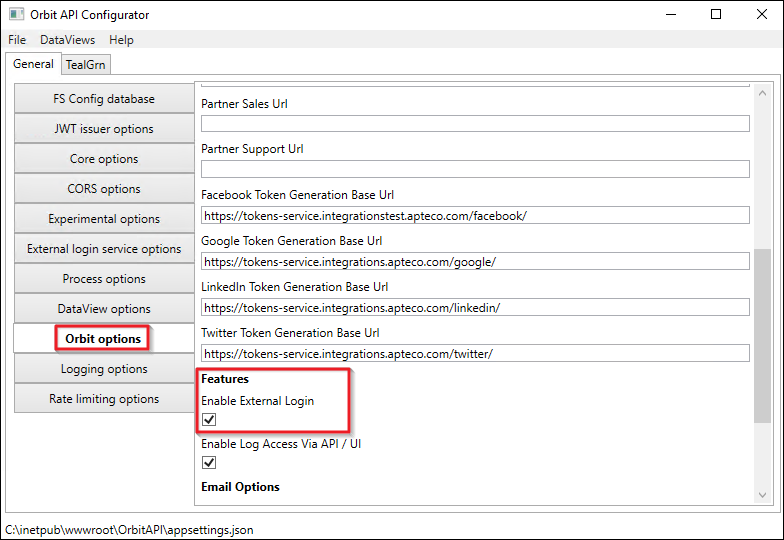
| Setting | Description |
|---|---|
| Partner Brand Name | Partner brand name to display in the UI |
| Show Brand Logo | Select to display a brand logo in the login area |
| Brand Logo | Path to an alternative brand logo (max 96px wide or tall). Can be relative to the OrbitAPI directory or an absolute URL. |
| Application Logo Dark | Path to an alternative logo at the top of the Orbit UI (170 × 40 px). Relative to the OrbitAPI directory or absolute URL. |
| Application Logo Light | Path to an alternative logo for the login page: light on dark background (170 × 40 px). Relative to the OrbitAPI directory or absolute URL. |
| Online Help URL | The address of your own help centre |
| Privacy Policy URL | The address of your own privacy policy |
| Partner Sales URL | If set, visible in the help icon dropdown in Orbit |
| Partner Support URL | If set, visible in the help icon dropdown in Orbit |
| Facebook Token Generation Base URL | Address used to generate OAuth tokens for Facebook (future functionality) |
| Google Token Generation Base URL | Address used to generate OAuth tokens for Google (future functionality) |
| LinkedIn Token Generation Base URL | Address used to generate OAuth tokens for LinkedIn (future functionality) |
| Twitter Token Generation Base URL | Address used to generate OAuth tokens for Twitter (future functionality) |
| Enable External Login | Select if using an SSO service provider with External Login Service configured |
| Enable Log Access Via API / UI | Controls whether administrators can download logs via the API or UI |
| Email Hyperlink Domain Allow List | Security feature: enter domains allowed within links in emails from Orbit. Recommended to match your Orbit installation address. |
| Allow All Domains in Email Hyperlinks | Security risk. Not recommended. Only available when Email Hyperlink Domain Allow List is empty. |
Note
When using an SVG logo, you must define the width and height attributes within the SVG element. Use an aspect ratio calculator if needed. You can edit SVG files in a text editor.
Note
All logo paths are either relative to C:\inetpub\wwwroot\Orbit\assets or can be absolute URLs, for example: assets\images\brand-logo.jpg or http://www.example.com/images/my-image.svg
PeopleStage service
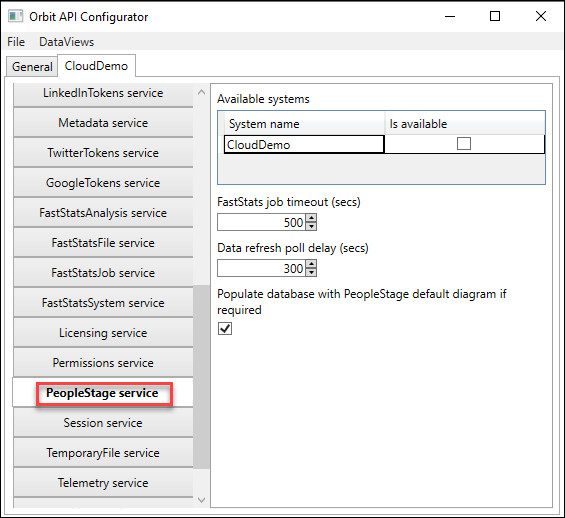
| Setting | Description |
|---|---|
| Available systems | Systems available within Orbit for campaigning |
| FastStats job timeout (secs) | Timeout for jobs using the PeopleStage service |
| Data refresh poll delay (secs) | Delay between polls to update PeopleStage data displayed |
| Populate database with PeopleStage default diagram if required | When set, if the OrbitAPI finds an empty PeopleStage database it automatically populates it with a default diagram |
Permissions service
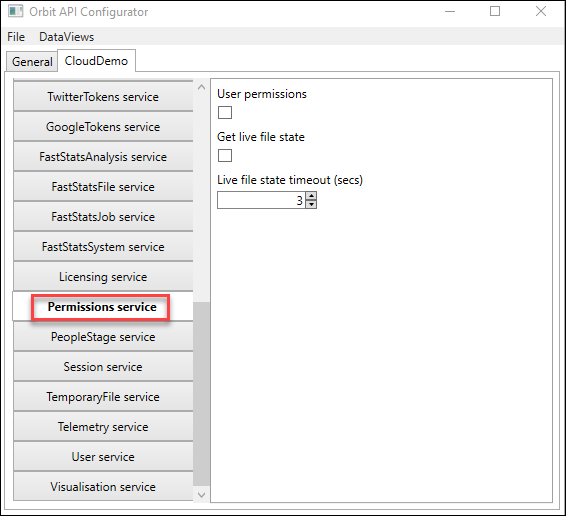
| Setting | Description |
|---|---|
| Use permissions | Whether to use the permissions service in Orbit |
| Get live file state | Whether the Orbit API updates file states during a session and reflects these in the UI, rather than only on session start |
| Live file state timeout (secs) | Timeout for the file state job (if enabled) |
Process options
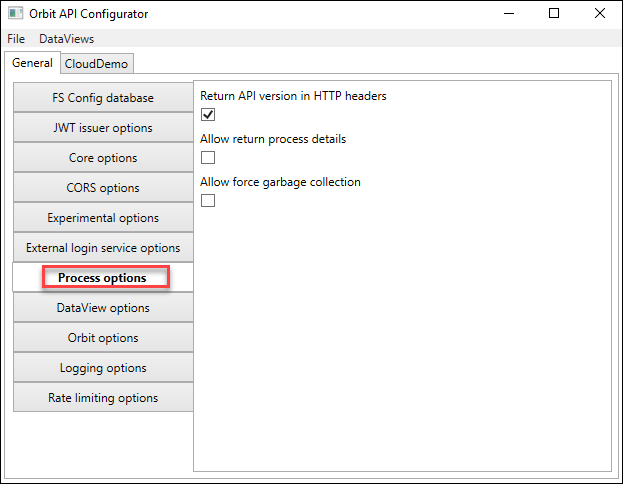
This section controls API methods useful for investigative purposes. Use under direction of Apteco.
| Setting | Description |
|---|---|
| Return API version in HTTP headers | Whether to return the API version in HTTP headers |
| Allow return process details | Whether to return details about the Orbit API's .NET process (process ID, private memory, working set, heap size, garbage collection status) |
| Allow force garbage collection | Whether administrators can manually trigger .NET garbage collection |
Rate limiting options
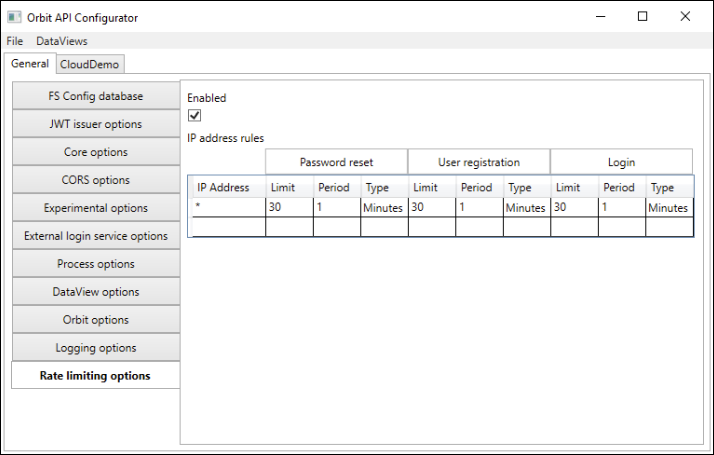
Rate limiting is a security feature that helps prevent DDoS, credential stuffing, and brute force attacks.
| Setting | Description |
|---|---|
| Enabled | Tick to enable rate limiting |
| Password reset limit | Number of password reset requests allowed within the configured reset period |
| Password reset period | Number of periods for password reset rate limiting |
| Password reset period type | Period type: seconds, minutes, hours, or days |
| User registration limit | Number of user registration requests permitted within the configured registration period |
| User registration period | Number of periods for user registration rate limiting |
| User registration period type | Period type: seconds, minutes, hours, or days |
Session service
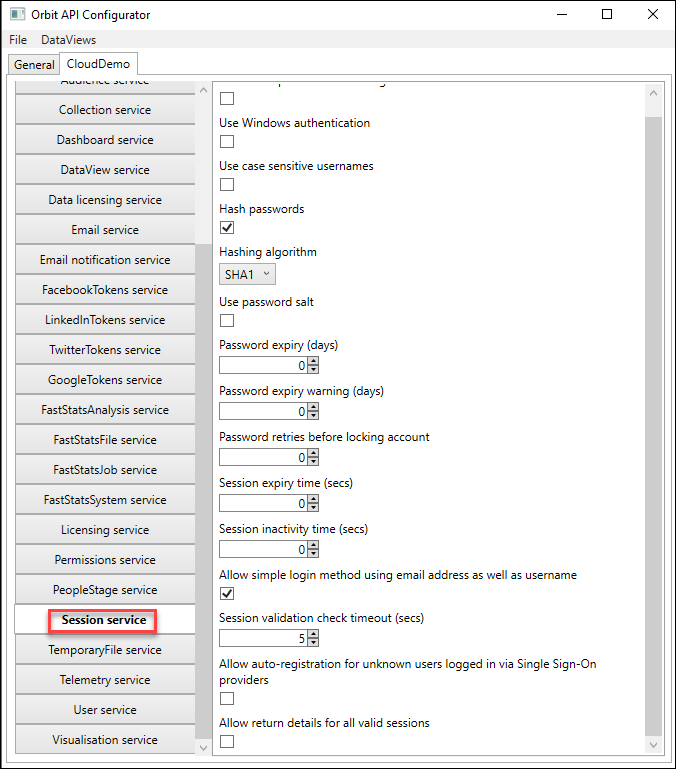
| Setting | Description |
|---|---|
| Generic responses for failed login | Whether to provide feedback on whether the username or password was incorrect. Should match the FastStats Web Service setting. |
| Use Windows authentication | Don't use this. Windows Authentication isn't available in Orbit, and a future version will remove this option. |
| Use case sensitive usernames | Whether to enforce case-sensitive usernames. Should match the FastStats Web Service setting. |
| Encryption password | Setting an encryption password stores personal information encrypted in the user database. Should match the FastStats Web Service setting. |
| Hash passwords | Whether to store passwords in encrypted form. Should match the FastStats Web Service setting. |
| Hashing algorithm | Hashing algorithm to use if you tick Hash passwords. Should match the FastStats Web Service setting. |
| Use password salt | Whether to use salt in encryption to help prevent brute force attacks. Should match the FastStats Web Service setting. |
| Password expiry (days) | Password expiry time. Should match the FastStats Web Service setting. |
| Password expiry warning (days) | Password expiry warning time. Should match the FastStats Web Service setting. |
| Session expiry time (secs) | Seconds before a user's session is forcibly expired, regardless of activity. Should match the FastStats Web Service setting. |
| Session inactivity time (secs) | Seconds before a session expires due to inactivity. Should match the FastStats Web Service setting. |
| Allow simple login method using email address | Whether the API accepts email addresses and usernames for login credentials |
| Session validation check timeout (secs) | Timeout when validating a session. If Orbit doesn't receive a response within this timeout, it treats the session as invalid. |
| Allow auto-registration for unknown SSO users | Whether unknown users connecting via SSO can register automatically |
| Allow return details for all valid sessions | Tick to return details of valid sessions via the OrbitAPI |
Telemetry service
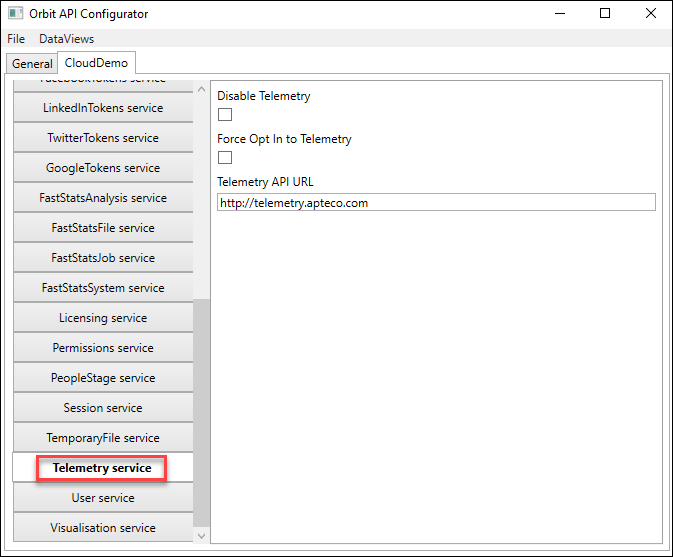
| Setting | Description |
|---|---|
| Disable Telemetry | Tick to disable telemetry for this data view |
| Force Opt In to Telemetry | Tick to automatically opt users into telemetry |
| Telemetry API URL | Address of the Telemetry API |
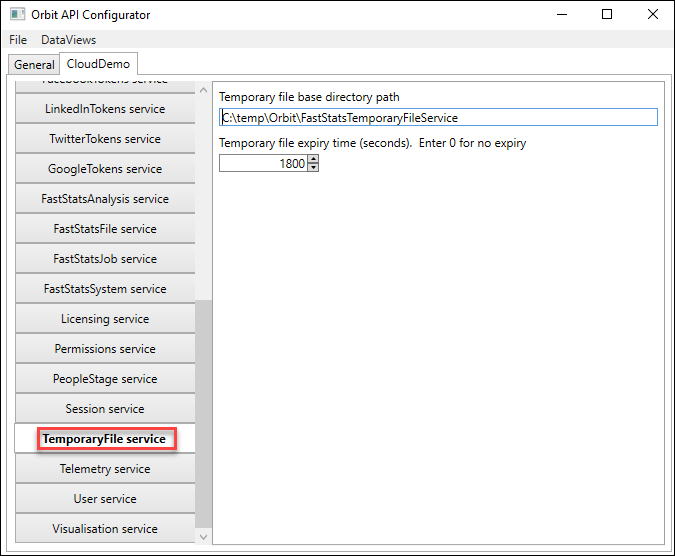
TemporaryFile service
| Setting | Description |
|---|---|
| Temporary file base directory path | Physical path for storing temporary files created by the API. For multi-web-server setups using the TemporaryFiles strategy in the FastStatsFile Service, set this to a UNC path reachable from all web servers. |
| Temporary file expiry time (seconds) | Expiry time for temporary files. Setting 0 means files never expire. |
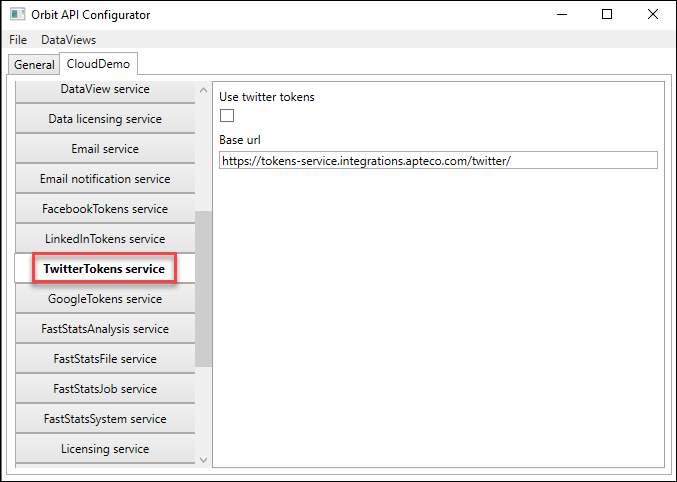
TwitterTokens service
| Setting | Description |
|---|---|
| Use Twitter tokens | Tick to enable Twitter tokens using the specified address |
| Base URL | Address used for generating Twitter tokens |
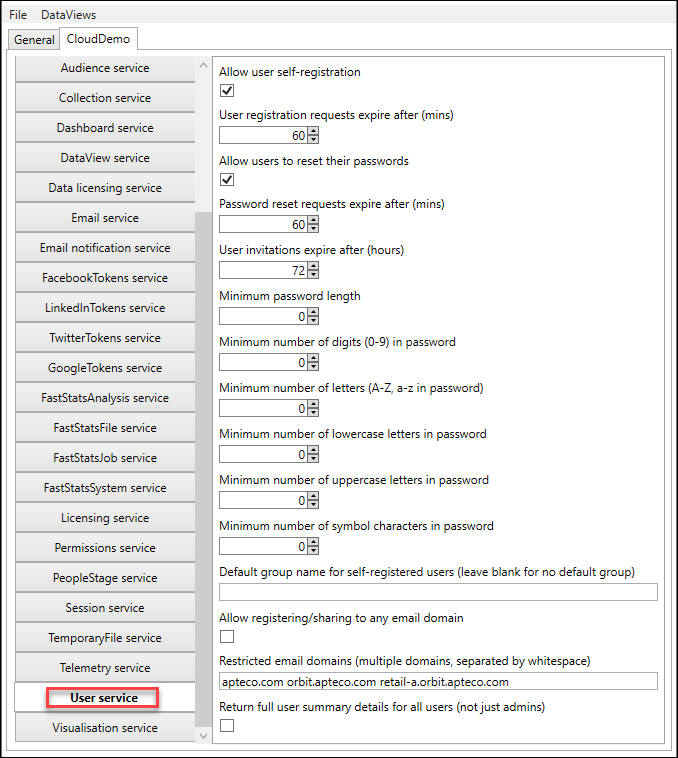
User service
| Setting | Description |
|---|---|
| Allow user self-registration | Whether users can self-register in this data view |
| User registration requests expire after (mins) | Time after which user registration links expire |
| Allow users to reset their passwords | Whether users can reset their passwords |
| Password reset requests expire after (mins) | Time that password reset requests remain valid |
| Minimum password length | Minimum password length. Should match the FastStats Web Service setting. |
| Minimum number of digits in password | Minimum digits required. Should match the FastStats Web Service setting. |
| Minimum number of letters in password | Minimum letters required. Should match the FastStats Web Service setting. |
| Minimum number of lowercase letters in password | Minimum lowercase letters required. Should match the FastStats Web Service setting. |
| Minimum number of uppercase letters in password | Minimum uppercase letters required. Should match the FastStats Web Service setting. |
| Minimum number of symbol characters in password | Minimum symbol characters required. Should match the FastStats Web Service setting. |
| Default group name for self-registered users | Default group for self-registering users |
| Allow registering/sharing to any email domain | Whether users can share Orbit items with any email domain |
| Restricted email domains | Space-delimited list of email domains you can share Orbit items with |
| Return full user summary details for all users | Tick to return user summary information for all users, not just administrators |
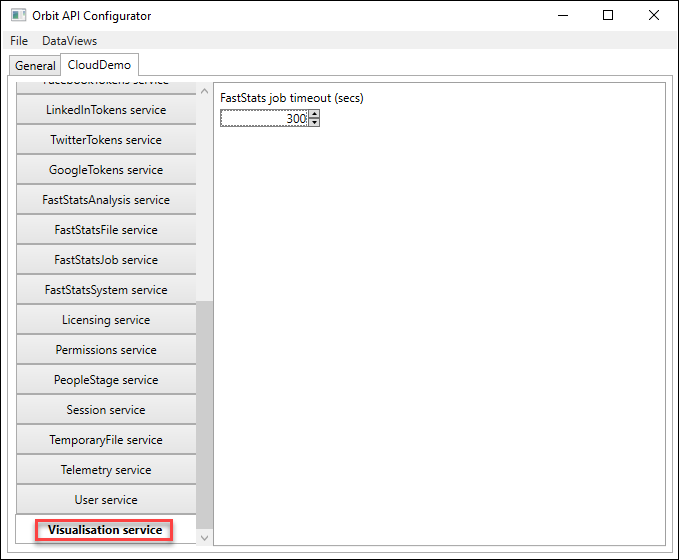
Visualisation service
| Setting | Description |
|---|---|
| FastStats job timeout (secs) | Timeout for jobs using the visualisation service |