Home screen
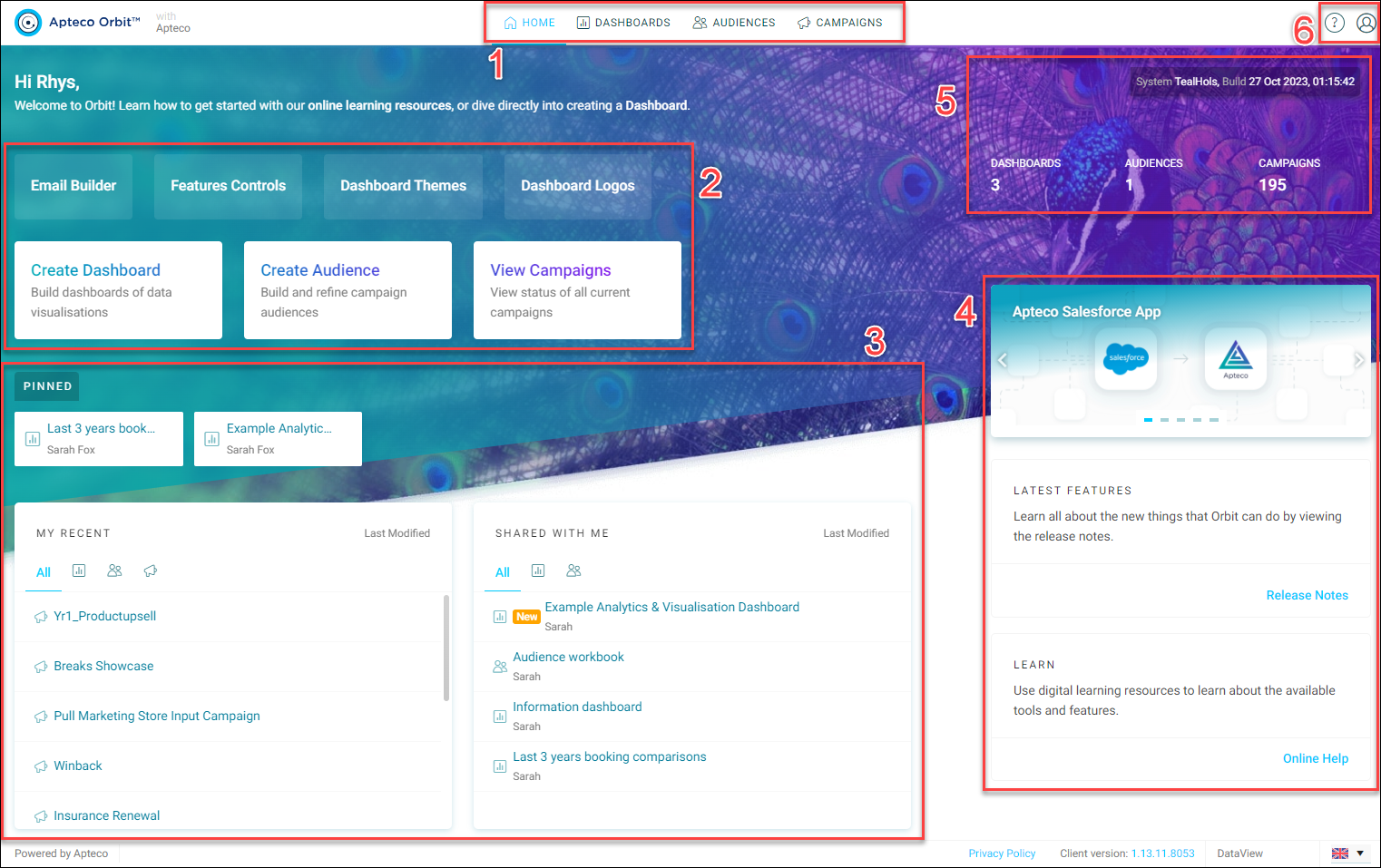
- Main navigation tabs: Access and explore all your Orbit resources.
- Dashboards
- Audiences
- Campaigns
- Collections
-
Quick actions: Use these quick action buttons to jump straight into creating new resources.
Note
Administrators see additional actions to access their tools and settings.
-
Recent activity: View all your recent actions, discover shared resources, and keep an eye on important items pinned to your home screen.
- Release content: Stay updated on the latest features in Apteco Orbit. Be sure to check out the release notes for more details and explore the Apteco Orbit documentation available on the help hub.
- Account and settings: From here you can manage your account, access application and user settings, and set permissions and tags.
- System information: With a quick glance, you can view the number of available resources, your system information, and build date.