Viewing PeopleStage campaigns with unsupported elements
Orbit can identify and flag every PeopleStage feature it doesn't yet support. If a campaign's overall structure can still be drawn as an Orbit journey, you can open its Journey tab even though it contains unsupported elements. These are flagged individually with a lock icon, rather than the whole journey being unavailable.
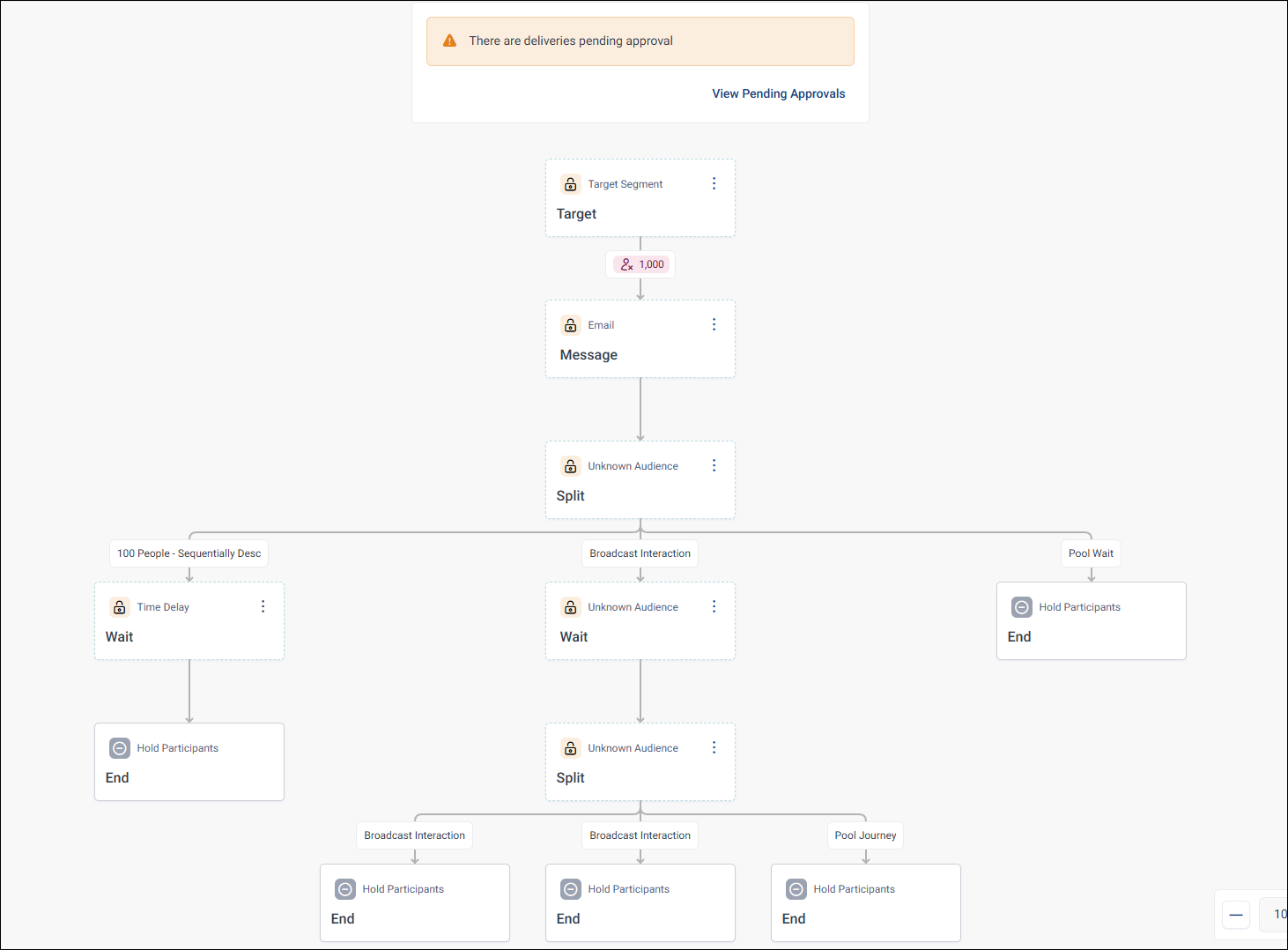
Everything else in the journey, including message and content personalisation, displays normally.
Viewing why an element is unsupported
Click an unsupported element to open its details in the side panel. This lists every reason it isn't supported, and shows its full configuration for reference, though the fields themselves can't be edited.
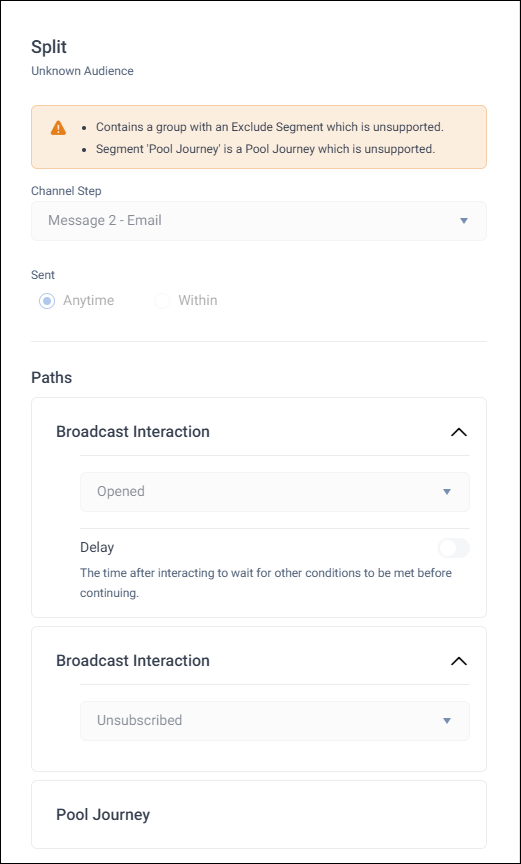
What you can still do
Even where a campaign contains unsupported elements, you can:
- View the full journey, including the configuration of unsupported elements
- Take manual approval actions on pending messages, such as pause, resume, release records, accept or decline, export to PDF, or delete
- Edit and republish the campaign's schedule, even though you can't edit the rest of the journey's structure
- Track campaign progress on the Monitoring tab. Where possible, this also shows recipients flowing through locked stages.
What you can't do yet
You can't edit the structure of a campaign that contains unsupported elements, or edit its message content.
Some campaigns are still too structurally different from an Orbit journey to be drawn at all, regardless of this feature. See Campaign data availability for when that happens.