Managing workspaces
You can add resources (Dashboards, Audiences, Campaigns, and Collections) to a workspace to help organise your work. You can also rename or delete a workspace without affecting any resources it contains.
Create a workspace
To create a workspace:
- Select the icon to open the Workspaces area.
-
Select + New Workspace.
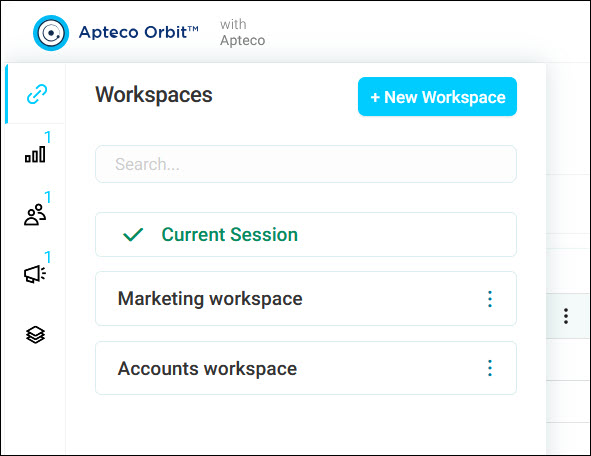
-
Add your Workspace Name.
- Select Create.
Rename a workspace
To rename a workspace:
- Select the ⋮ icon next to the workspace.
-
Select Rename.
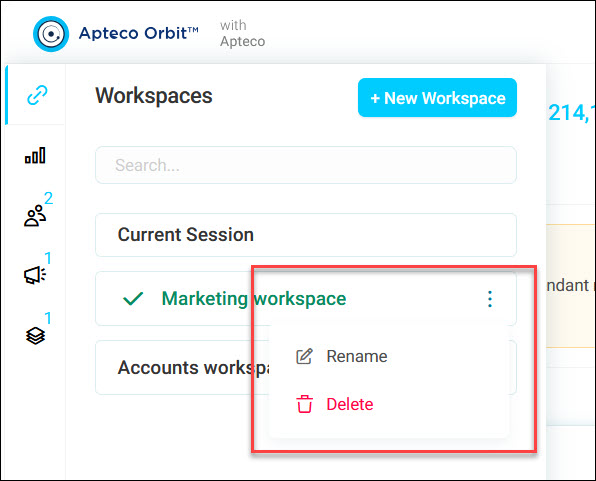
-
Edit the name and confirm.
Delete a workspace
To delete a workspace:
- Select the ⋮ icon next to the workspace.
- Select Delete.
Tip
Deleting a workspace only removes the workspace itself. It doesn't delete any of the resources linked to it.