Renaming, duplicating, or deleting a tabbed dashboard
Once created, you can rename, duplicate, or delete a dashboard tab.
To duplicate a dashboard tab:
-
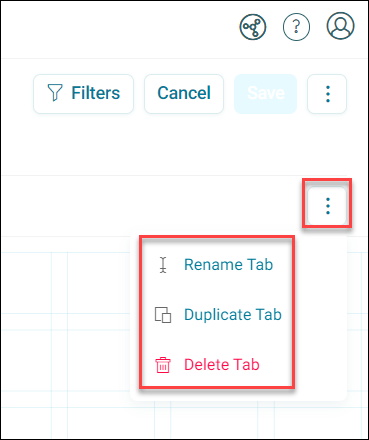
Open the Options dropdown on right side of an existing tab and click Rename Tab, Duplicate Tab, or Delete tab.
-
If renaming, you can instead click directly on the tab name and edit it in place, then click away or press Enter to confirm. Otherwise, add a Tab Name and click Rename/Create accordingly.
- Click Save.
You’ve now renamed, duplicated, or deleted a dashboard tab.
Note
If you are not an administrator you need edit permission on the dashboard to rename it.