Social admin for Facebook
Orbit lets you set up integrations between social platforms and Apteco in the web browser, rather than through Apteco FastStats.
An Orbit user with the Facebook Administrator role can begin the integration process through Orbit via Account Settings.
To integrate Facebook with Orbit:
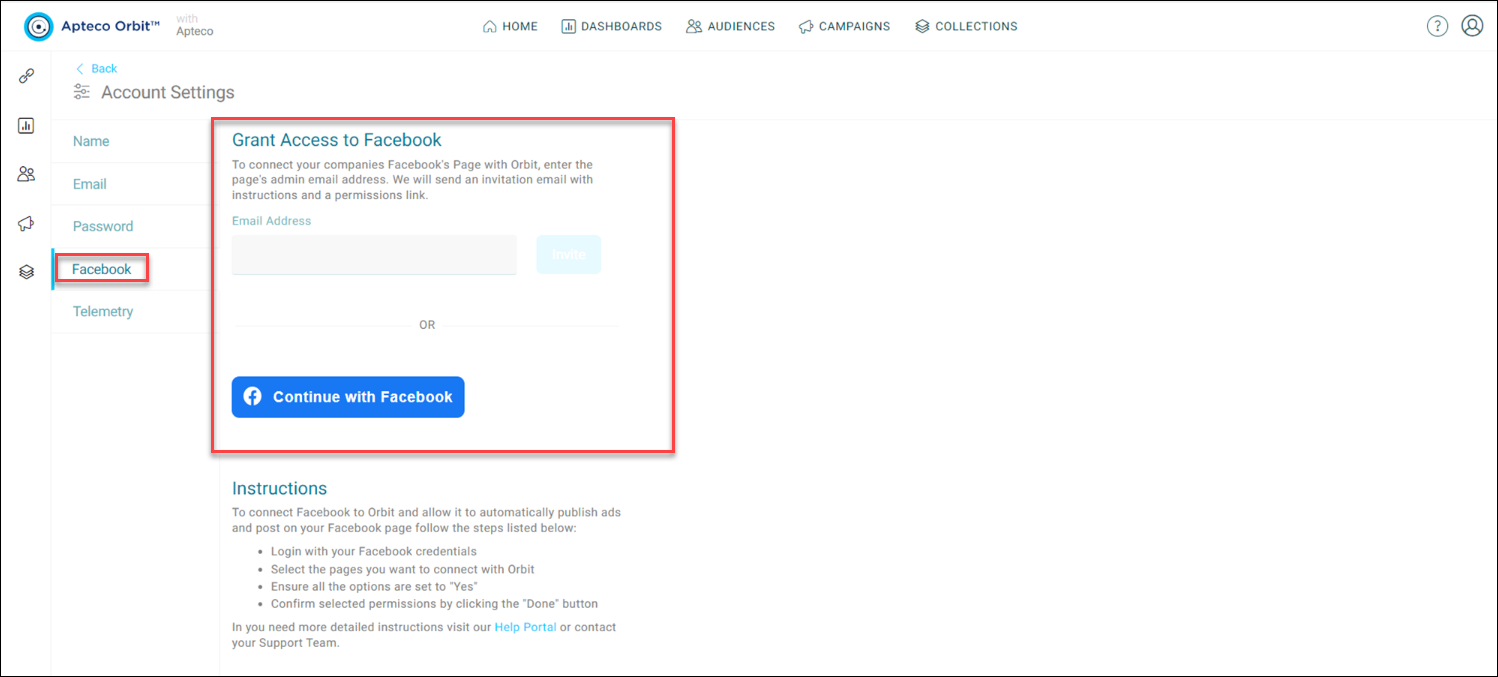
- Navigate to the Facebook tab on Account Settings.
-
Here the Orbit user needs to invite the Facebook user responsible for the management of the Facebook pages. The Facebook user can grant Apteco permission to publish ads and post to pages. Enter the email address of this user to seek this permission. If you have this role then you can log in directly into Facebook to grant access rather than via the email invitation.
-
The email asks the recipient to select the link and follow the Grant Access instructions in Orbit, granting access through the Orbit platform.
- If the Facebook user doesn't have an existing Orbit login, they're asked to register, and Orbit takes them to the relevant admin screen.
- Follow the instructions on the Orbit screen. Selecting the Continue with Facebook button redirects you to Facebook. Log into Facebook, complete the two-factor authentication if required, and tick the pages and permission to link Facebook and Apteco.
-
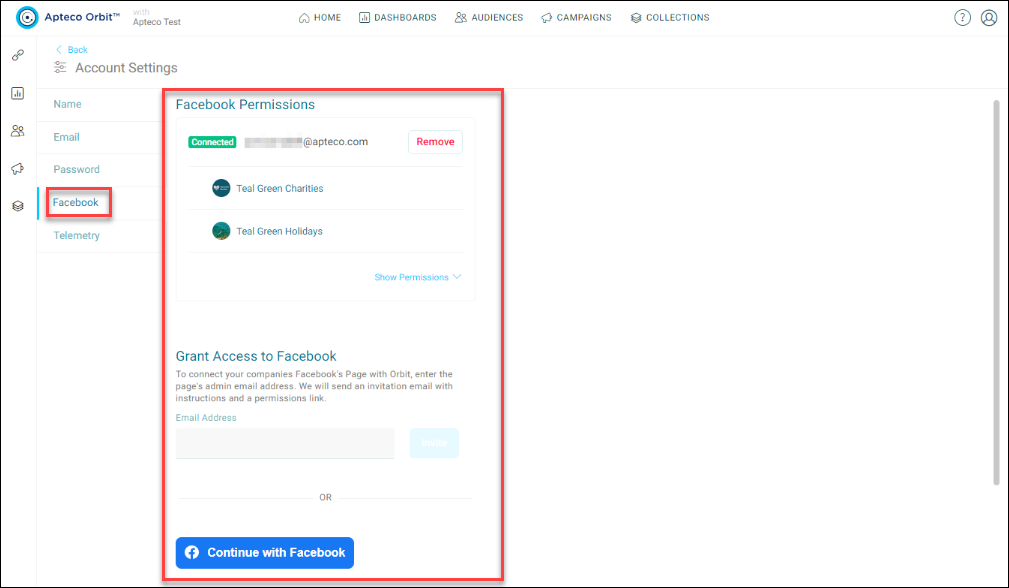
Once you grant permission, Orbit updates to display details of the pages and permissions granted in the account settings.
-
Once you grant permission, an administrator can update or remove it.
- Set up Social channels via PeopleStage as the last stage for use in Campaigns.