System builds
The System Builds screen is where you turn your mapped data into an Orbit system.
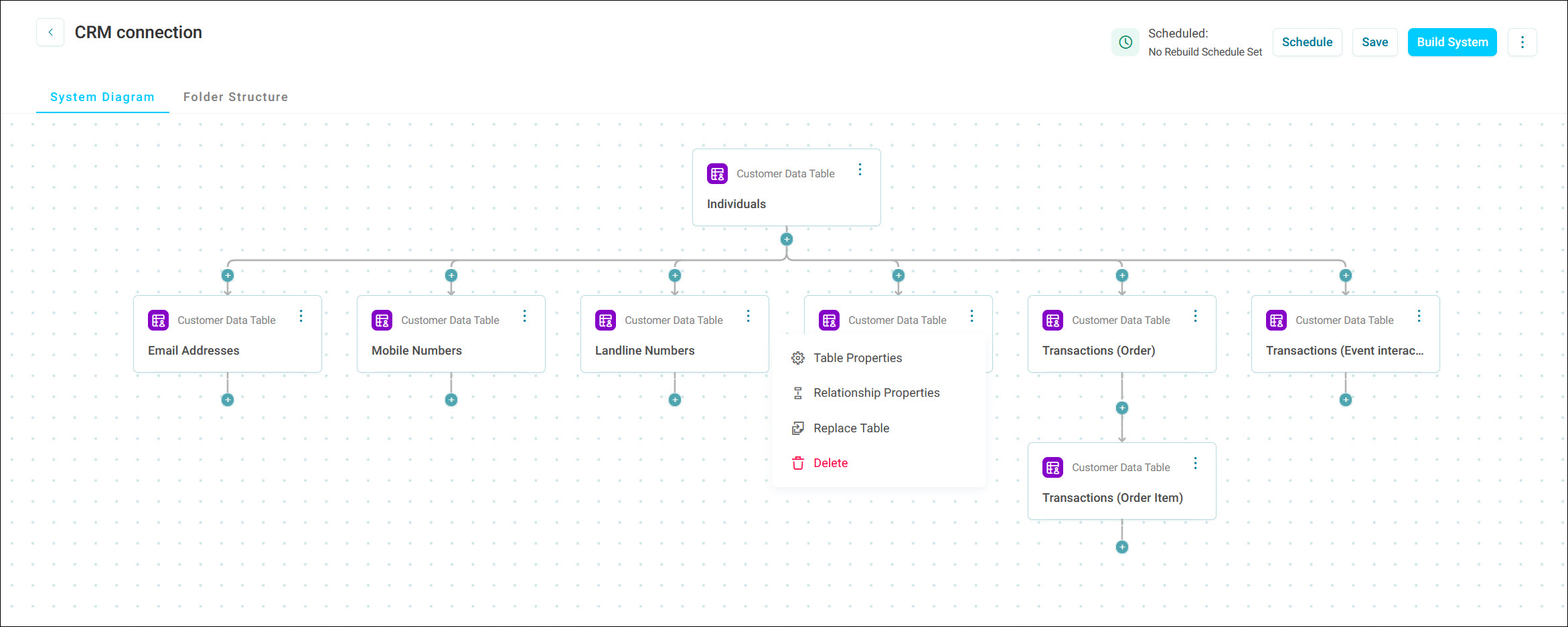
From here you can:
- Define a system: Choose the tables to include and the relationships between them. See Defining a system.
- Set table options: Nominate people, contact, and response tables to make your system campaign ready. See Table options.
- Add lookup data: Join extra data, such as geodemographic data, using one-to-one and many-to-one relationships. See Additional relationship types.
- Organise folders and variables: Arrange how your variables appear once the system is built. See Folder structure.
- Build a system: Get your system ready to deploy, and review the results. See Building a system.
- Schedule builds: Rebuild and optionally deploy your system automatically. See Scheduling a system build.
- Deploy a system: Make your system available for dashboards, analysis, and campaigning in Orbit. See Deploying a system.