Text variables
Text variables hold free text, such as surnames, postcodes, or email addresses. The data picker shows them with the ABC icon. You filter by them by entering the values to match, and choosing how they match.
Filter by a text variable
You can match whole values, or part of each value.
To filter by a text variable:
-
Choose how to match from the dropdown:
- Is: Matches the whole value exactly
- Is not: Excludes exact matches
- Starts with: Matches the start of the value
- Does not start with: Excludes values that start with what you enter
- Ends with: Matches the end of the value
- Does not end with: Excludes values that end with what you enter
- Contains: Matches what you enter anywhere in the value
- Does not contain: Excludes values that contain what you enter
- Has ranges and wildcards of: Matches a pattern. See Use wildcards.
- Does not have ranges and wildcards of: Excludes values that match a pattern
-
On the Values tab, type or paste up to 100 values, one on each line or separated by commas. For more values, use a file.
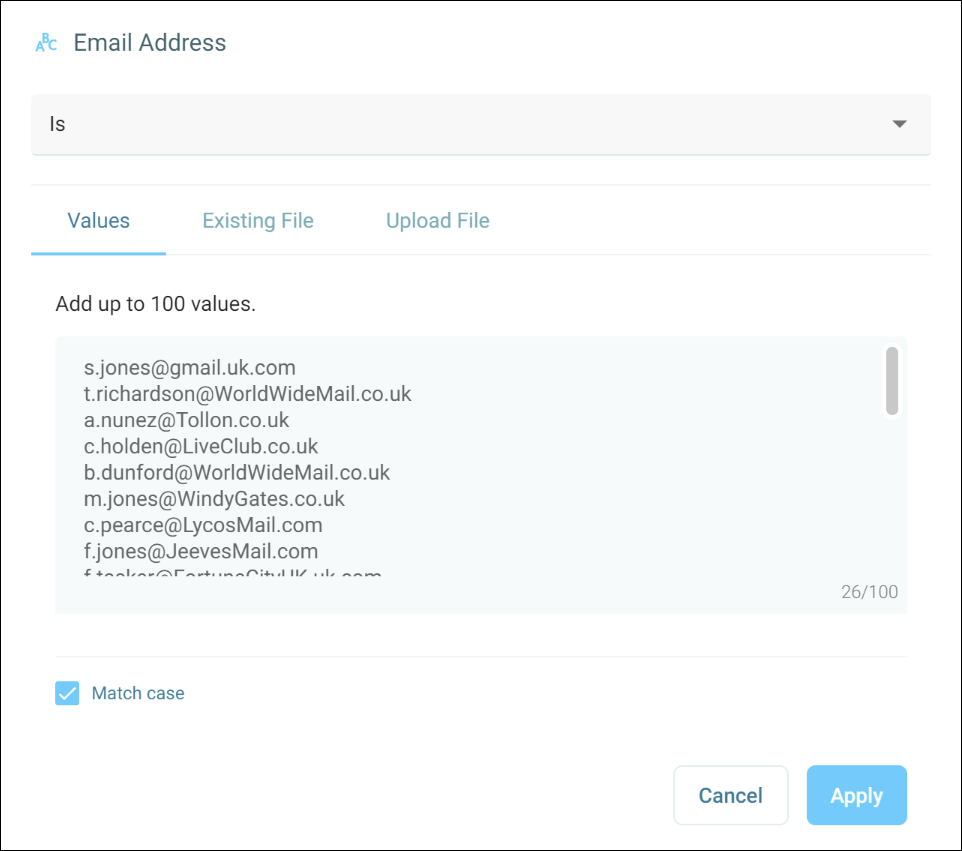
-
To match upper and lower case exactly, tick Match case.
-
Select Apply.
Example
To find supporters with an email address at your charity's own domain, filter by Email Address, choose Ends with, and enter the domain, such as @example.org.uk.
Use wildcards
With Has ranges and wildcards of, you can match a pattern instead of a fixed value:
?matches any single character, including a space, digit, or symbol*matches any number of characters, including none
Examples
Sm?thfindsSmithandSmythRobert*findsRobert,Roberts, andRobertsonABC-???finds codes with ABC, a dash, and exactly three more charactersABC-?*finds codes with ABC, a dash, and at least one more character?*finds every value that isn't blank
Use a file of text values
To match more than 100 values, such as a long list of email addresses, use a file. Use the Upload File or Existing File tab, as described in Use a file of values.
When you use a file, the dropdown offers In and Not in, instead of the options for typed values. Choose In to include records whose value is in the file, or Not in to exclude them.
For a text variable, the file must:
- Be a
.TXTfile, up to 25 MB - Have no value longer than the variable allows