Reference variables
A reference variable holds a unique reference for each record, such as a Household URN (unique reference number) or a Supporter ID. Each table has one. The data picker shows reference variables with a barcode icon.
Filter by a reference variable to include or exclude specific records, such as a seed list or supporters who've asked not to be contacted.
Filter by a reference variable
You can type the references in, or use a file of them.
To filter by a reference variable:
-
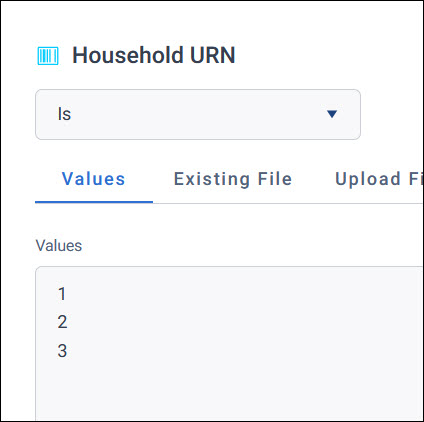
Choose an option from the dropdown:
- Is: Includes the records with these references
- Is not: Excludes the records with these references
-
On the Values tab, type or paste up to 100 references, one on each line or separated by commas. For more references, use a file.
-
Select Apply.
Tip
For more than a handful of references, use a file. It keeps your filter manageable, and it's easier to update the list later.
Use a file of references
Use the Upload File or Existing File tab, as described in Use a file of values.
For a reference variable, the file must:
- Be a
.TXTor.URNfile - Have one reference on each line. Separators are ignored.
A file of references you've saved is a URN file, and you can also use it from the Files tab of the data picker. See Audiences and files.
On a dashboard, you can choose whether Orbit keeps an uploaded file permanently or only while you need it. See URN files in dashboard filters.