Uploading shape files
Administrators must upload a GeoJSON shape file before a user can apply it with an audience workbook.
To upload a shape file:
-
Go to Account Settings > Application Settings > Map Settings.
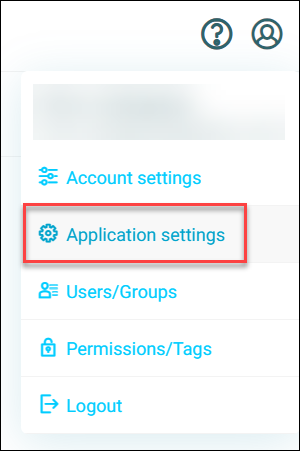
-
Select + New Map.
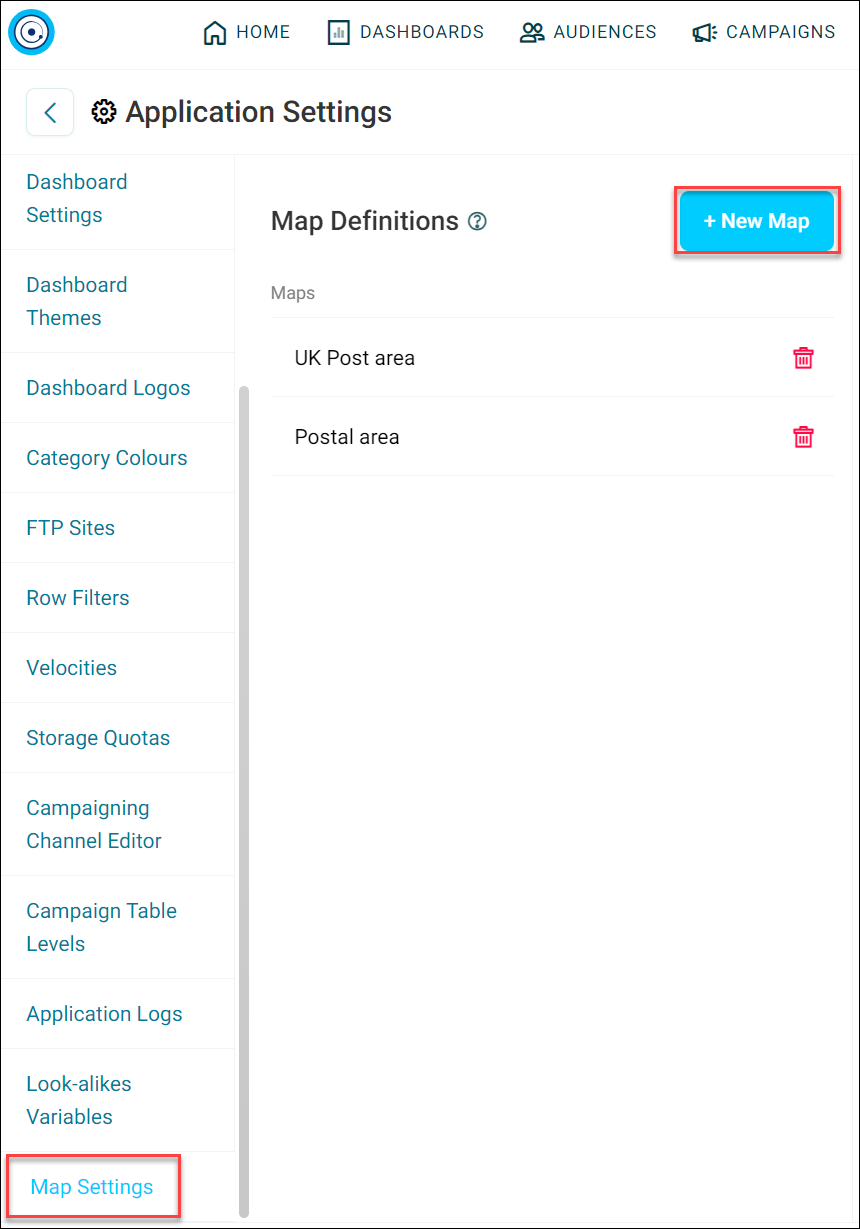
-
Enter a Map Name, and select + Add Shape File.
- Under the Upload Shape File tab, choose Select file and add your file.
- Provide a Name, Description, and Licensing (Optional).
-
Select Add.
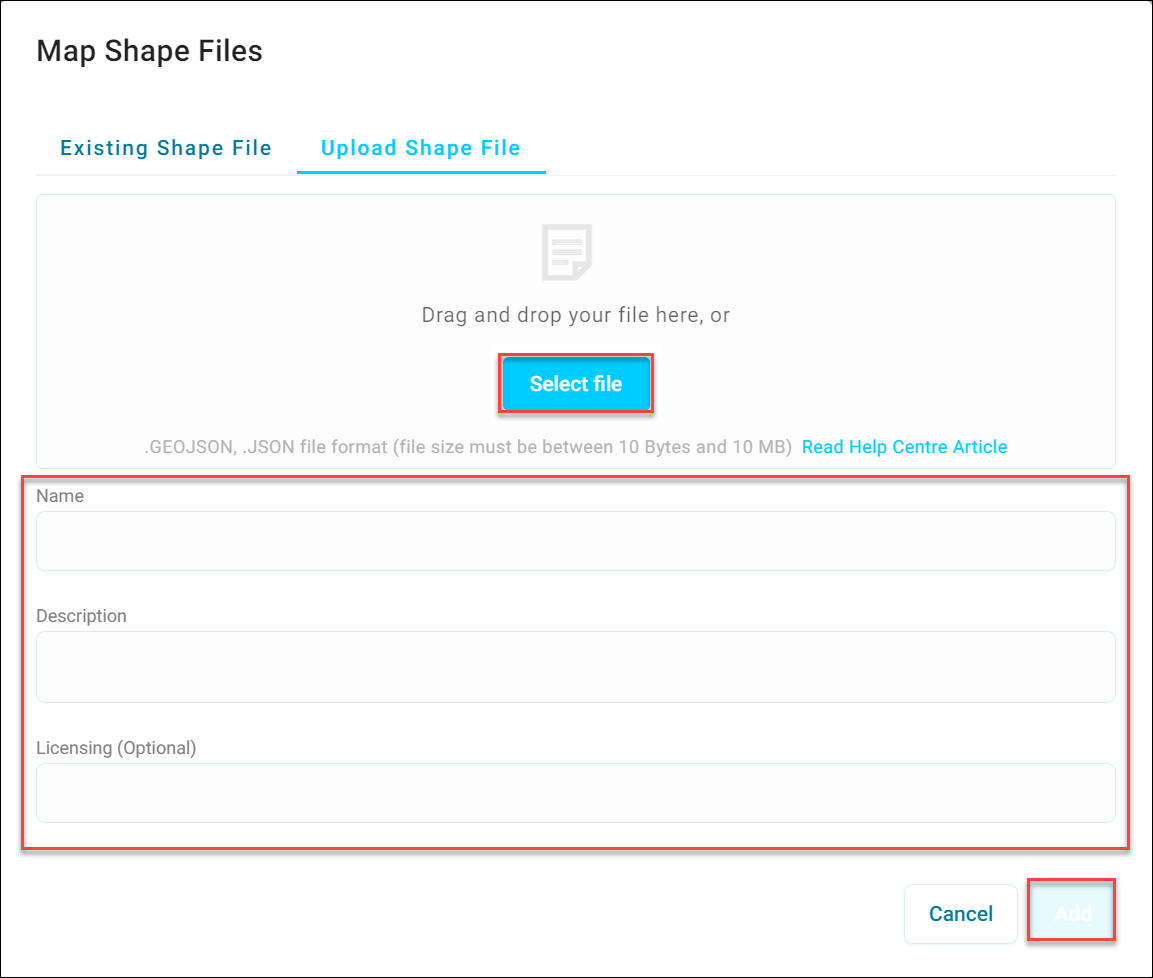
Now you've added your shape file, add a variable.
-
Select + Add Variable.
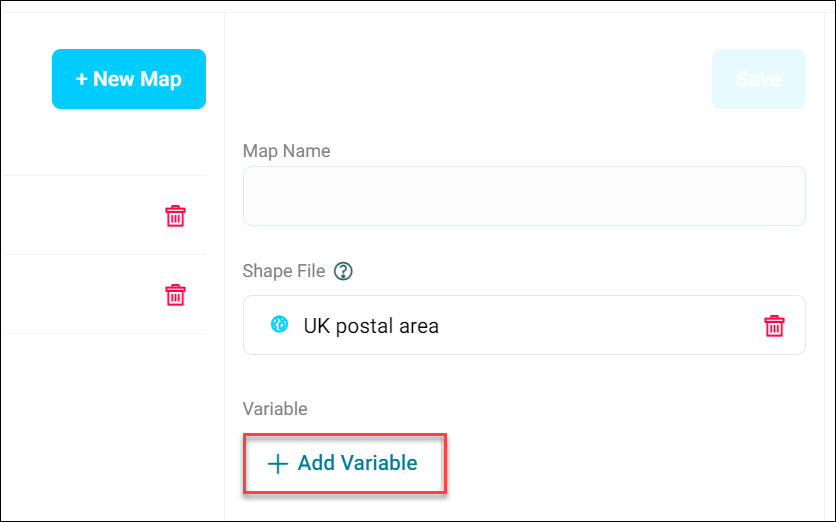
-
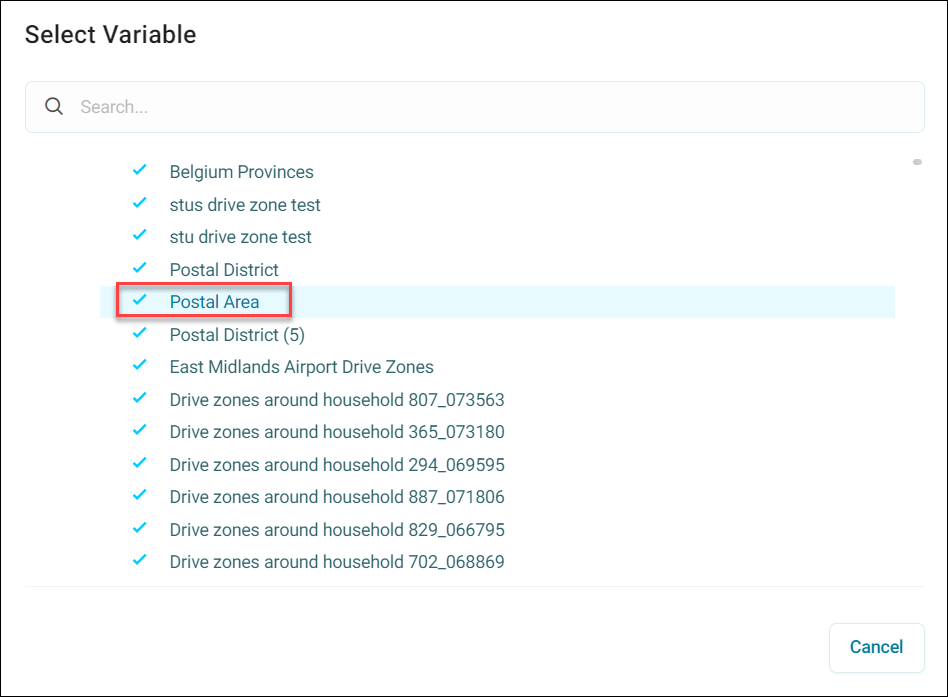
Search for and select your preferred Variable.
-
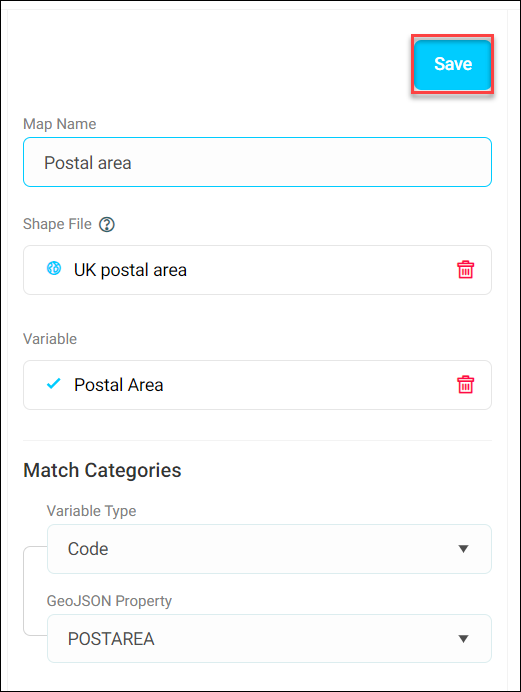
Select Save.
-
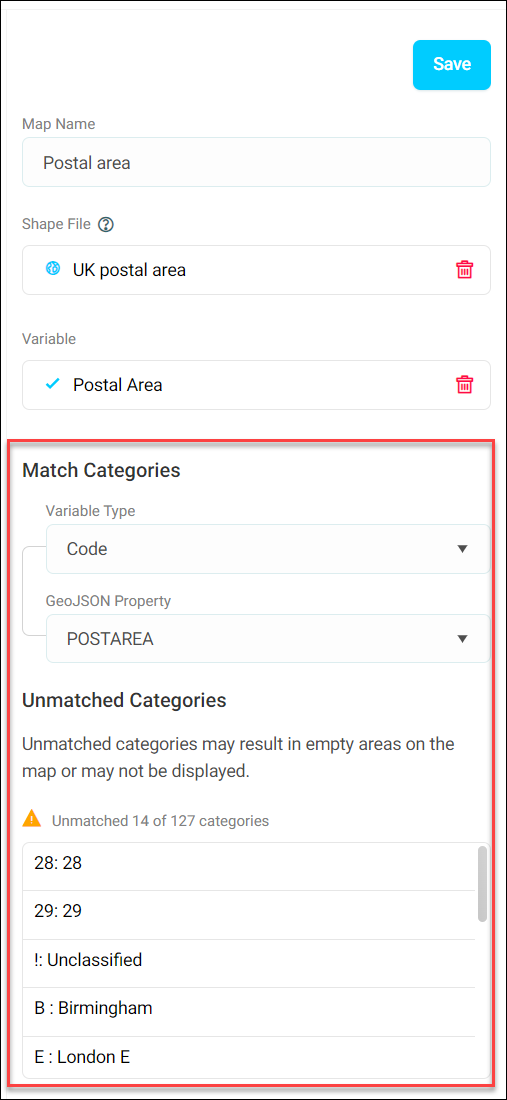
Match your Variable type to your GeoJSON Property.
-
A list of unmatched categories also displays. You can go back and edit your shape file, or upload it again, to address these issues.
You've now uploaded a shape file.