Check my results solution
This solution guides you through creating a set of visualisations, which you use to sense-check that the records in the audience are as expected.
To create a new check panel:
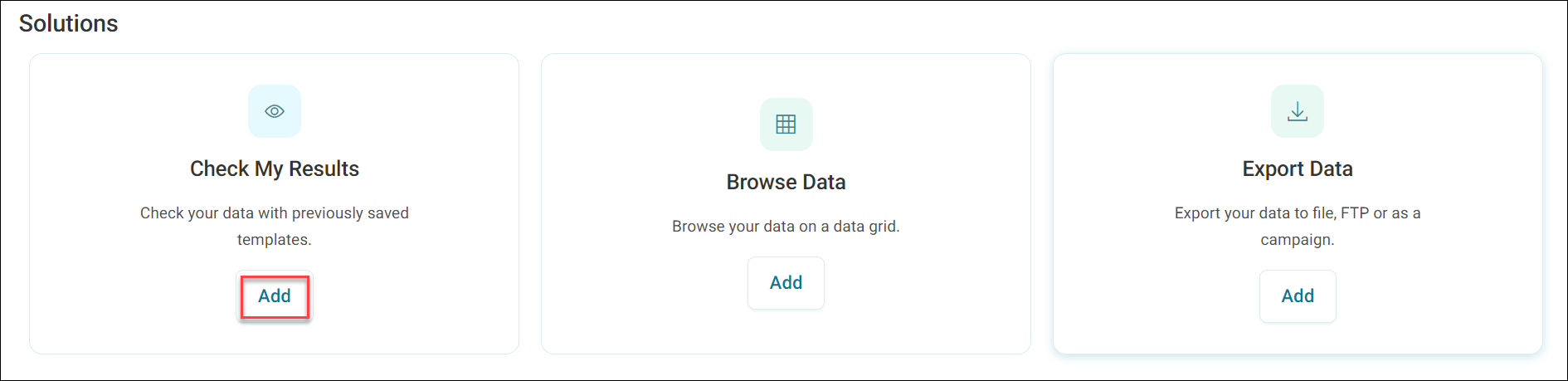
- Find the Check My Results solution on the Add New page.
-
Select Add. You are now asked to provide a name.
Note
The check panel comprises a set of visualisations and a grid of data. Orbit automatically chooses the visualisation style, depending on the number of categories in the data.
-
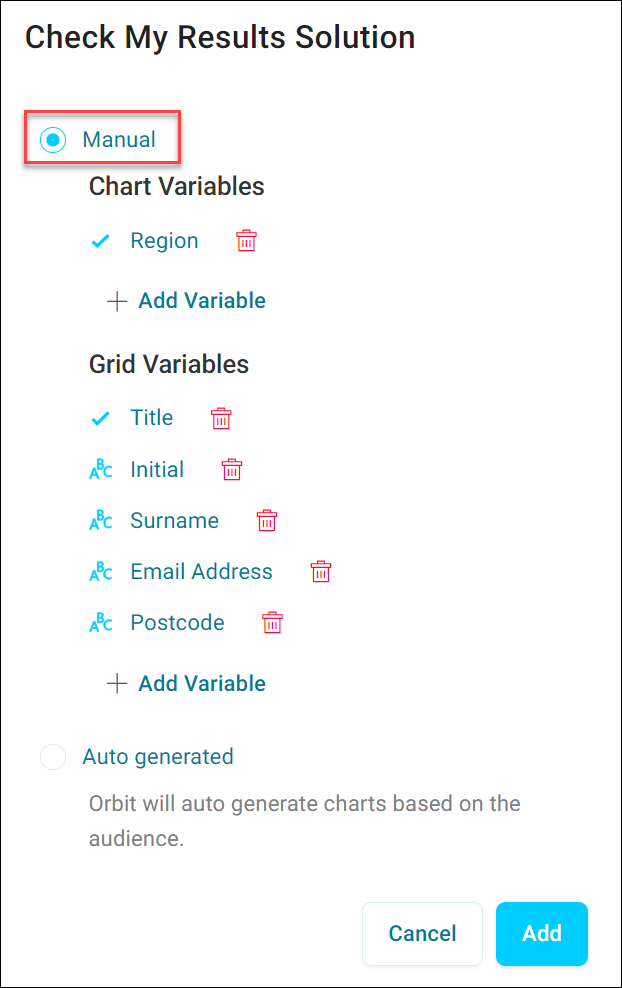
You can choose to have Orbit create the visualisations for you from your audience by choosing Auto Generated.
-
You can select your own visualisations and grid columns by selecting Manual.
-
Orbit adds a new check panel to your workbook, as shown below.
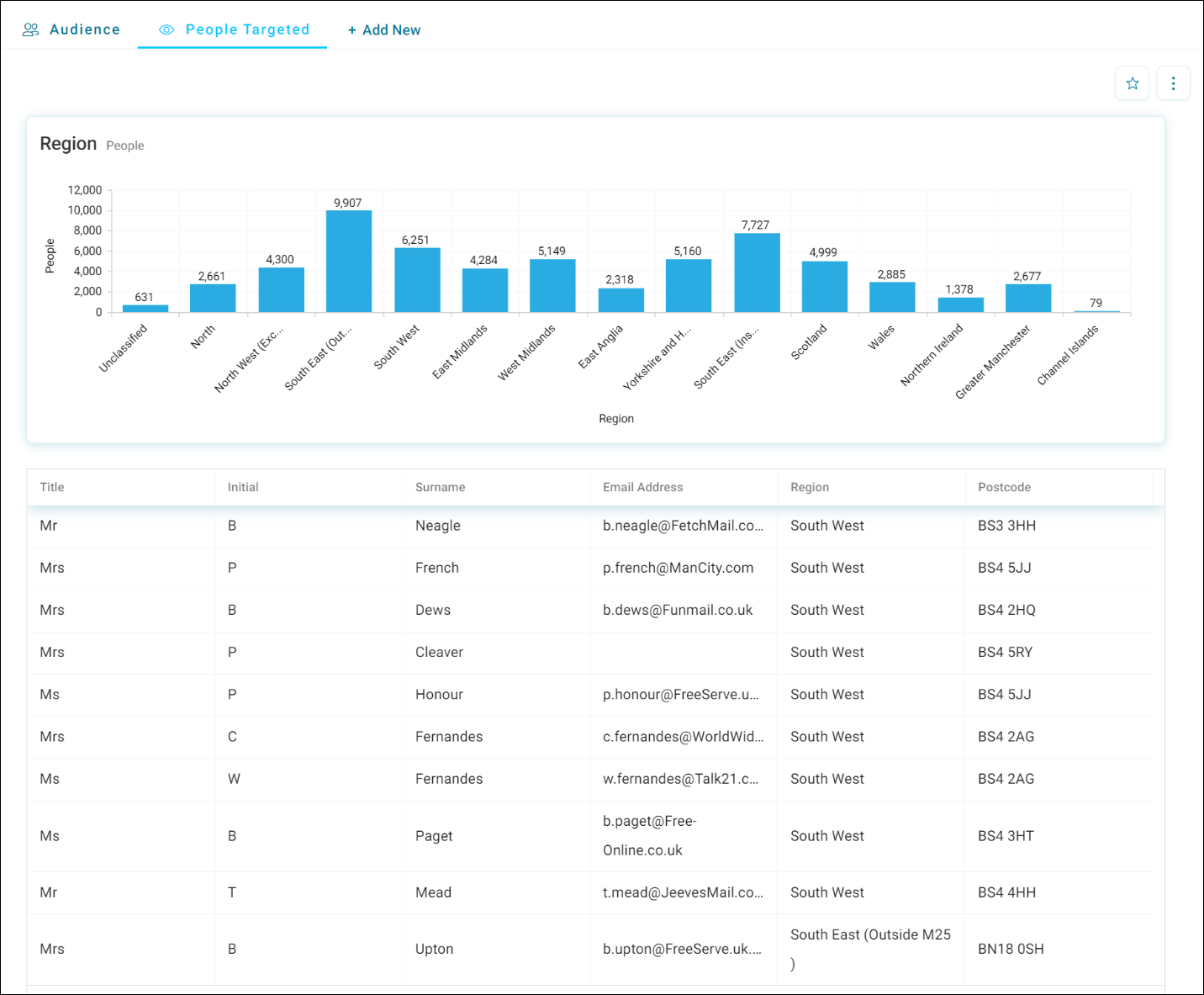
To re-use this check panel on another audience, or to share it with other users, select the star icon in the top right. This adds it as a favourite to your Add New page, ready to re-use or share from there.