Export data solution
This section guides you through the steps required to set up a data grid. Use it to export records via File Transfer Protocol (FTP), or a downstream channel.
Export solution
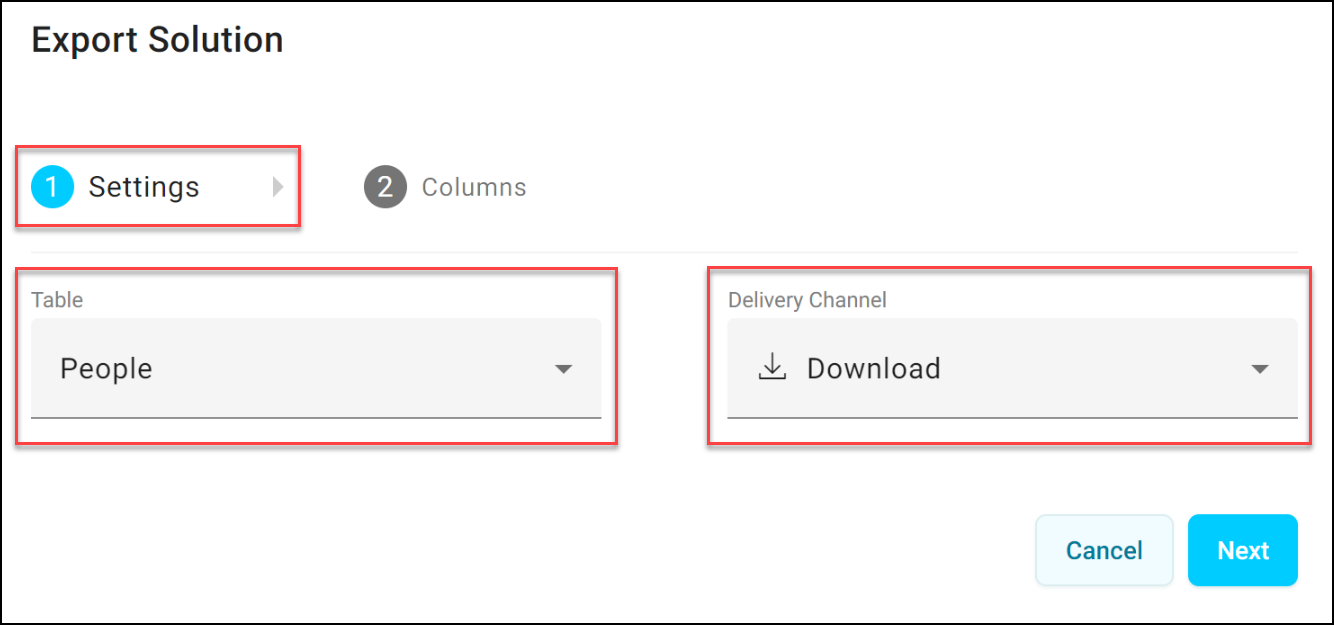
To select settings:
- Choose the Table that contains the records to display.
- Choose the Delivery Channel for the export.
To select columns:
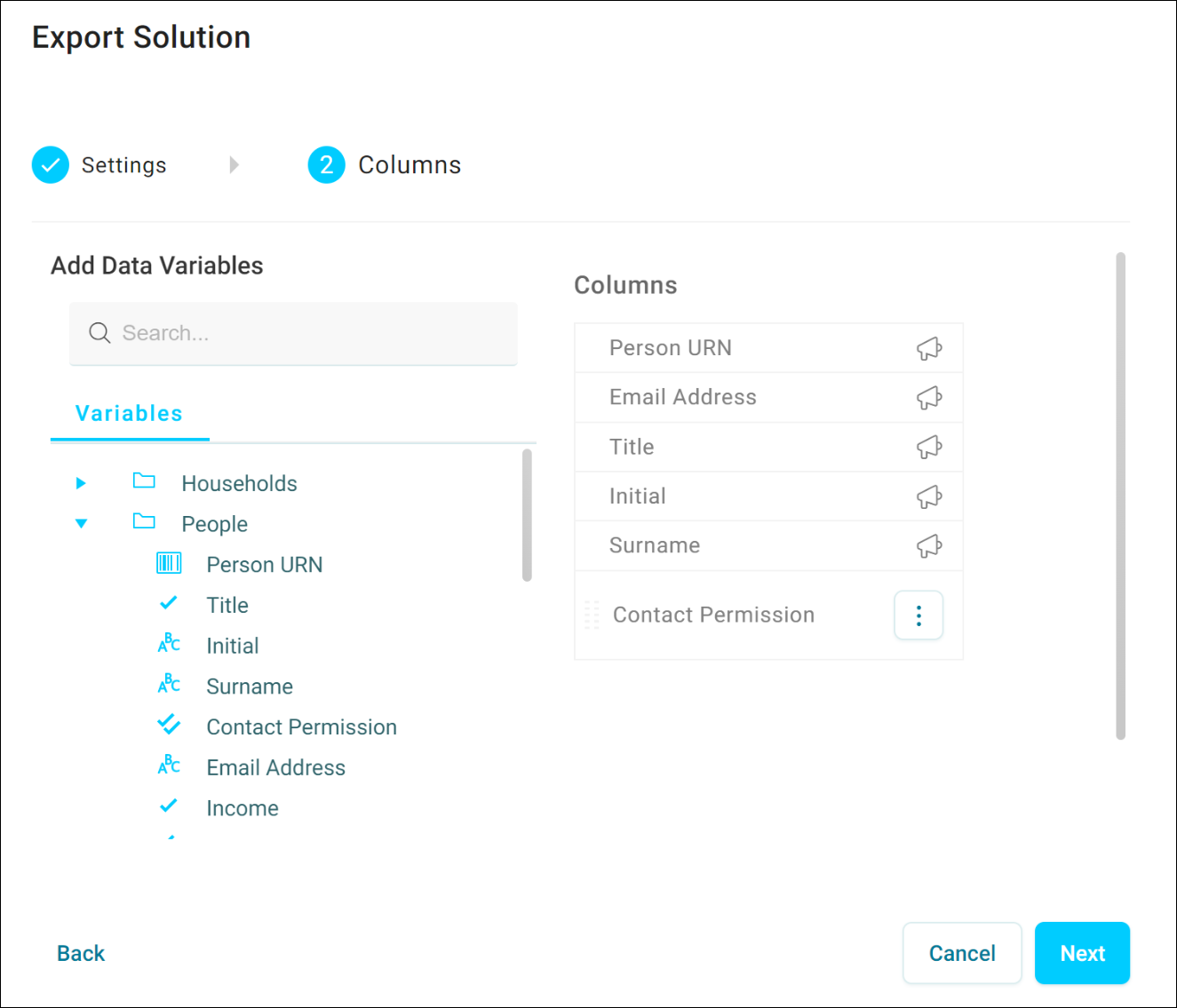
- Choose the Columns you want to export.
- Reorder the Columns as required.
Note
You can't remove some columns, as they're required in the export.
Orbit adds a new data grid page to your workbook.
This Grid View displays multiple rows of data. Select the View As option in the top right to switch to Page View, displaying a single record at a time.
If you're happy with this data grid and want to use it again or share it, select the star icon in the top right. This adds it to your favourites. You can then access it from the Add New page and share it from there.
To export the records, open the page's option menu and select Export. See Exporting an audience.