ROI number tiles
An ROI number tile works out the return on investment (ROI) for an amount you've spent, using revenue from your data. You enter the investment, choose a measure for the revenue, and the tile shows the ROI as a percentage.
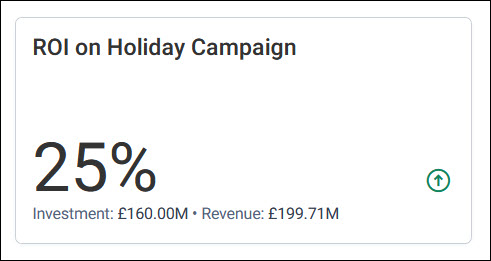
The tile uses the standard ROI calculation:

Example use case
A charity spends £5,000 on a winter appeal mailing. An ROI number tile with an investment of 5,000 and a revenue measure of the donations made to the appeal shows the appeal's return as a percentage of its cost.
Add a return on investment tile
The tile's Data section holds the Investment and the Revenue.
To add an ROI number tile:
- Add a tile and choose ROI Number Card as the Tile Type. It's in the Basic group.
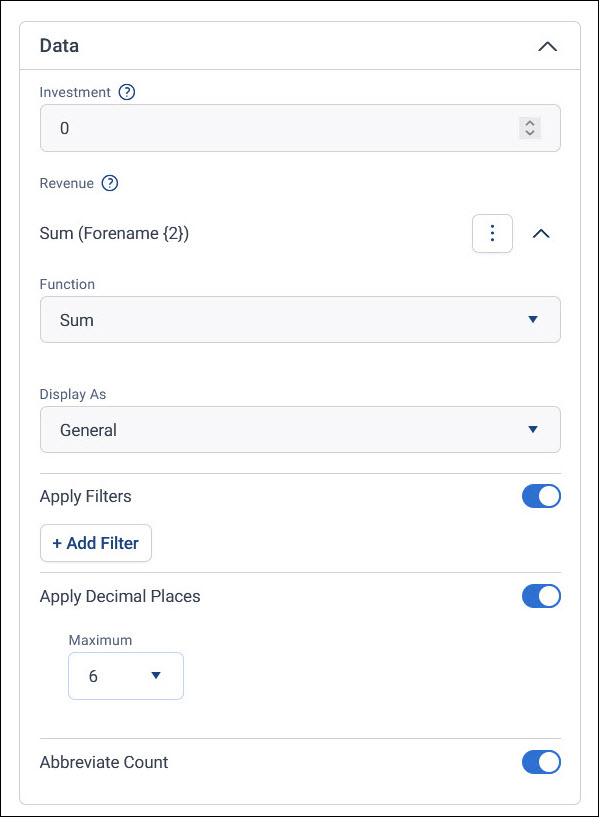
- Under Data, enter your Investment amount.
-
Under Revenue, add a measure for your revenue, such as the sum of donation amounts, and choose its Function. For what you can measure, see Measures.
-
Select Apply, then Save the dashboard.
For the revenue's other settings, such as Apply Decimal Places and Abbreviate Count, see Measure settings.
Count revenue from one campaign
To include only the revenue from a particular campaign or appeal, filter the revenue. Either turn on Apply Filters for the revenue measure, or add a tile filter to the whole tile.